

During the recent Steam sale I picked up Laminar Research’s X-Plane 11 as I expand into the realm of the civil aviation flight simulation. X-Plane has had a good reputation over the year’s and the latest updates seem to have caught the wider attention of the flight sim community so I wanted to really see what all the fuss was about. The first aircraft I’ve decided to learn is the egg shaped Cirrus Vision SF50 – a 7-seat, very light jet that appeals to me as a fun aircraft to get started with. Here are some of my early thoughts.
From cold start to flying around

Coming from series like IL-2 and DCS World have given me some expectations on everything from flying to fidelity of systems modeling and I was curious to see where the default aircraft that ship with X-Plane 11 sit on the spectrum.
X-Plane 11’s aircraft certainly have 3D cockpits (something they didn’t have in earlier iterations) that are clickable, however, systems modeling on these aircraft is fairly light. The Cirrus SF50, as my first type that I’m really checking out, is already a fairly straight forward aircraft in real life to start up (I watched a couple of videos featuring the real life jet) and in X-Plane 11 its dead easy.
Turn on two batteries and the systems start up. Click the starter button and the jet engine comes to life. Flip a few more switches and the aircraft’s exterior door closes, parking brake is released, lights are turned on, and away you go. In many ways it feels like IL-2’s system is about the same for user complexity but my sense is that systems modeling (perhaps beyond the engine) in these default X-Plane types is not that deep.
The platform itself can support far more complex systems modeling and I’ve watched videos and done some reading about some of these more complex aircraft. I may have to check one out sometime.
Flying dynamics are also very good although I have to say that the aircraft doesn’t feel quite as alive as in IL-2: Great Battles nor DCS World. IL-2 remains the king of actually making you feel like you’re flying… but this is pretty good and the SF50 is meant to be a fairly easy aircraft to handle.
Using the navigation system
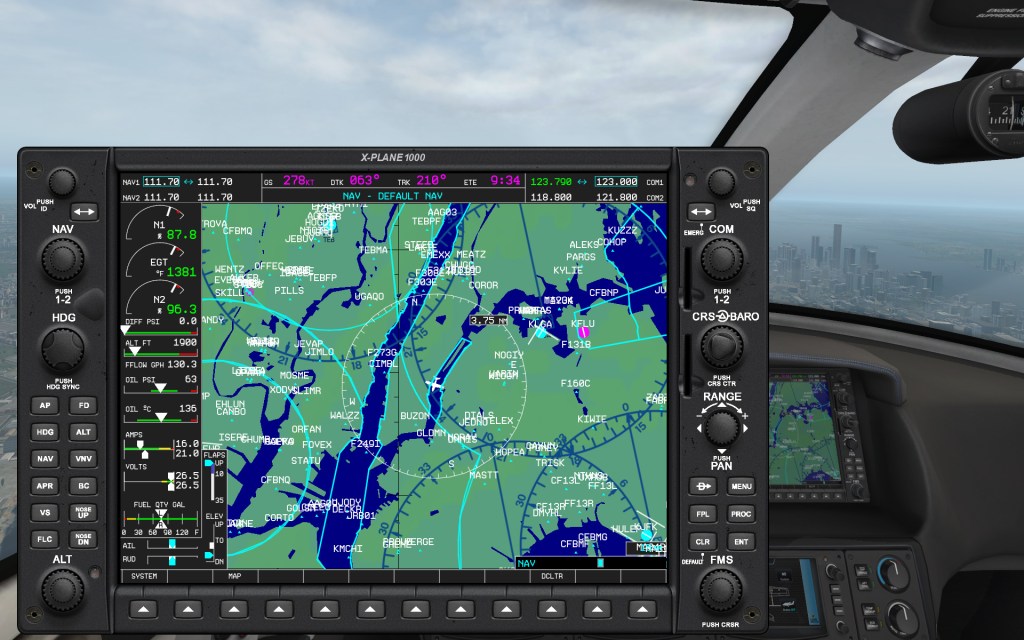
What appears to be a near staple of general aviation aircraft these days is the twin panel Garmin G1000 series display. These digital flight instruments seem to have taken over the scene over the last decade and there are tutorials out there on YouTube on how to use the real ones as well as the X-Plane equivalent (labeled X-Plane 1000).
I’m just at the very start of understanding how these work but the utility of the systems both as a learning tool for real pilots as well as a legitimate and reasonably high fidelity interface that lets you navigate through X-Plane’s sim world.
I can see my house from here

One of the coolest things about X-Plane is that you have what amounts to the entire world out there built into the simulation. Most areas don’t have a lot of details but the general road plan, at least for North America, is right on! The first thing I did was put myself at my local airport, takeoff, and fly around over the area that I know so well. I’ve never been able to do that in a sim before.
After I did that I jumped around checking out some of the areas that I know X-Plane has detailed such as New York and Chicago and a brief trek through the Rockies outside of Vancouver.
I have some fond memories of flying an early version of Flight Simulator taking off in a Learjet from Midway International Airport near a very blocky looking Chicago and flying around. I got to do the same thing in X-Plane 11 and that was very cool. We’ve also come a long way from those very polygonal times.
Other thoughts

Having just gotten into X-Plane my sim is currently completely stock, however, it seems that the way that things get done in X-Plane is that users install a series of mods to improve everything about the sim. This has some big advantages of being almost infinitely customizable but it also means that the base version of the sim sometimes feels a little basic.
I have a great appreciation for sims like DCS World and IL-2 that have, right out of the box, absolutely excellent visuals. X-Plane’s visuals can be made to be excellent and it already does some things fairly well such as night time lighting (Eagle Dynamics needs to aim for the level that X-Plane has achieved at minimum for DCS World as its a far superior experience). But the sim also has a washed out look to it that I’m hoping to improve through some sort of tweak.
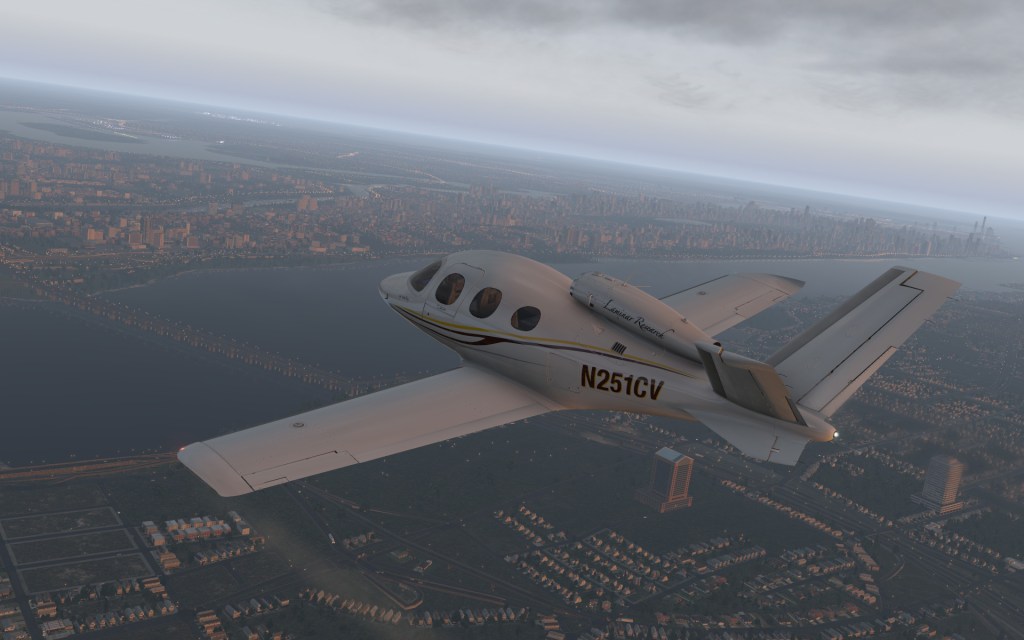
It’s not all bad either. The aircraft models, at least the SF50 so far, are impressively detailed with 4K textures and PBR rendering. This makes them look very real.
More to do and more to learn
I’m planning to work my way through several of the X-Plane 11 default aircraft and start to understand how things like OrthoXP and other tweaks can be setup to improve the look of the sim both from a map perspective as well as from an overall eyecandy perspective.
There’s a big world here to dive into. As always… its fun to check out new things and X-Plane 11 is the newest on my hard drive.






 Stormbirds
Leave a comment