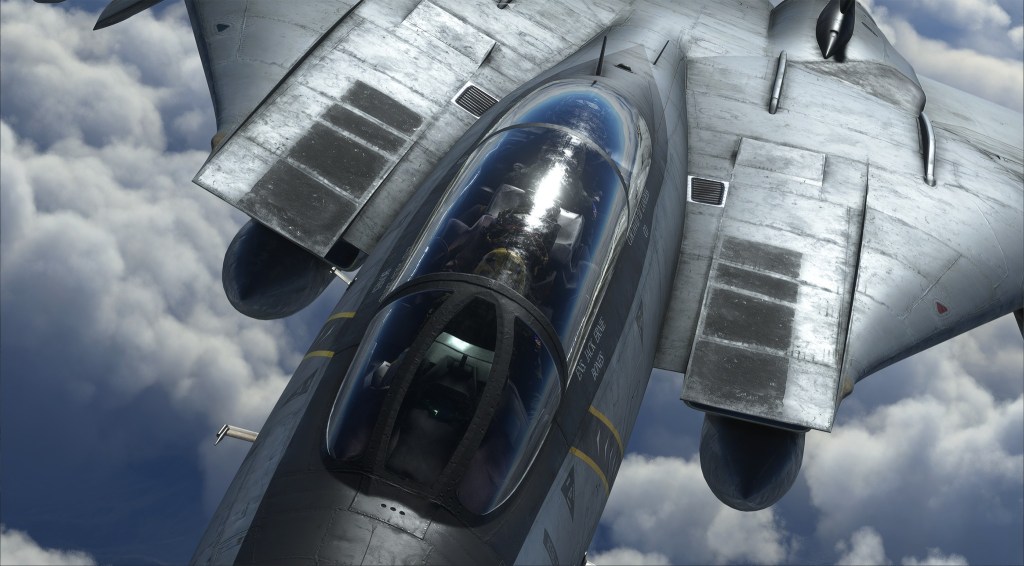
Developed together with IndiaFoxtEcho, Heatblur’s F-14 that was originally created for DCS World is now coming to the world of Microsoft Flight Simulator. A new trailer and some statements from both companies suggest that the F-14 is now getting much closer to release.

Tomcat coming to MSFS

Announced early this year, flight sim developers Heatblur and IndiaFoxtEcho have partnered up to bring us the DCS World F-14 to Microsoft Flight Simulator. It’s not the first F-14 to come to the sim but if this version is anything like what was created for DCS World, it’ll be a work of art.

Here’s what Heatblur said on their Facebook page:

Our Flight Simulator Tomcat, developed in partnership with Indiafoxtecho is on final approach! Together, we’ve aimed to capture the spirit of the Tomcat and to bring the experience of flying this legendary aircraft to a broader audience. Turn and burn down the valleys and mountain passes of the world in the legendary Tomcat soon!

Heatblur

That all sounds good. Here’s what IndiaFoxtEcho said:

Trailer #1 for the F-14 Tomcat we have been developing with Heatblur Simulations! …and no, we do not have a release date set just yet, but should be a question of a couple of weeks.

IndiaFoxtEcho

So it sounds like a matter of a few weeks before the project is on its way towards release. Stay tuned for more!


8 responses to “Heatblur’s F-14 for MSFS teased as being on final approach”

  1. I’m really interested to see how exactly such an outstanding DCS aircraft can be ported (<-maybe not the best word) into MSFS, as I'm not sure if anything like this has been done before. Ideally, except for the lack of weapons systems and the outside world, you would not be able to tell the two products apart. I don't think that's a reasonable expectation however.

    After watching the trailer I'm already a little surprised to find that the DCS version might look better than the MSFS version, which I really wasn't expecting.

    Still, unless it turns out to be some sort of dumpster fire, I can't see me not getting this.

    Liked by 1 person

    1. I wonder if Jester will be ported to MFS2020

      Liked by 1 person

      1. Good question. I don’t know and I don’t think it’s as necessary when it comes to just flying the airplane. Jesters really your guy when it comes to radar and weapons. But it would be interesting if they did find a purpose and a way.

        Like

    2. Yeah except for programming the INS and some help with the radios, there’s not much for him to do besides ask you politely not to buzz the tower.

      Liked by 1 person

  2. I think I’ve hit my limit with MSFS tech BS. Was trying to backup my Community folder to attempt to clean reinstall MSFS again, to fix the CTD on game load. And Microsoft in its infinite wisdom has locked ownership of the directory.

    I can’t copy anything out of it. Don’t have the permissions. Can’t get the permissions.

    I’m done. I’m done with MS games. All of them. I have had so many problems with their complete disaster area of a store, I just can’t deal with it any more.

    Like

    1. That’s a weird problem. I’ve never had any issues with moving content into or out of the community folder. What happens if you elevate the permissions of Explorer to admin?

      Liked by 1 person

      1. I’m not even sure how to do that. I think it is partly because MS got cute with their file structure and tried to set it all up so everything looks like it’s in the C:\Users directory even when it isn’t so in all likelihood the files don’t even exist at the location specified. But this isn’t even the first, or third major problem I’ve had with the MS store games. What’s more frustrating is there’s no actual way to complain to MS about it because they’ve largely hidden and quarantined any forums they have.

        And it’s not the only MS application that’s nuked itself on me. At work my Outlook decided to stop working spectacularly, and still trying to unscramble that egg too.

        It’s just not worth it. Especially when I can still do the manual of arms for the planes in DCS.

        Like

      2. I totally get the frustration with the MS store file formats/locations/ownership. They are extremely draconian. I’ve had similar issues with other programs of theirs, though somehow not with MSFS yet. I have a Steam Deck, and due to the way all MS store files are kept (among other things), there’s absolutely no kind of hack or workaround to get any MS Store game working on the deck, except to stream it through a browser. It’s all very annoying and I don’t see why it’s necessary.

        You may have already tried this, but when you first install MSFS, it gives you the option to store the content anywhere you want. Putting it in a standalone “Games” directory somewhere far outside of my User folder might be why I don’t have this problem. Though from your comment it sounds like you might have tried it and they might have worked around the workaround. :/

        Liked by 1 person

Leave a reply to ShamrockOneFive Cancel reply

Trending