
When it comes to flight sim hardware there is a wide range of options from the very cheap to the very expensive and everything in between. One of the products that has been hailed for years as the best bang for the buck is the Thrustmaster T.16000M. The T.16000M comes in a variety of packages from just the stick to the complete sim package including a HOTAS style throttle and rudder pedals. It’s this complete package that I’m reviewing today.
My goal with this review is to try and offer you as much information as possible and let you know if this is the hardware setup for you. This is a veteran product compared to some of the newest pieces of flight sim hardware out on the market so I also wanted to know how it stacks up in 2019? Let’s find out!
Disclaimer
Thrustmaster was nice enough to send me the T.16000M FCS flight pack so I could write this review. As with any review where I’m sent something, I want to assure my readers that my thoughts on these are always my own and there are no strings attached.
About Thrustmaster
Thrustmaster got its start in 1990 in the United States and by early 1991 was selling the Thrustmaster Weapons Control System through computer magazines. The company saw steady growth through the 1990s before being acquired by Guillemot Corporation Group of France in 1999 for $15 million. Thrustmaster continues to make a wide variety of peripherals from headsets and console accessories to flight and racing sim gear. Thrustmaster is sold in 50-countries worldwide and their products can be purchased at a wide variety of outlets and online stores – compared to some of my past hardware reviews, Thrustmaster is a mass market company and that means it’s a lot easier to find their hardware for sale.
Package overview
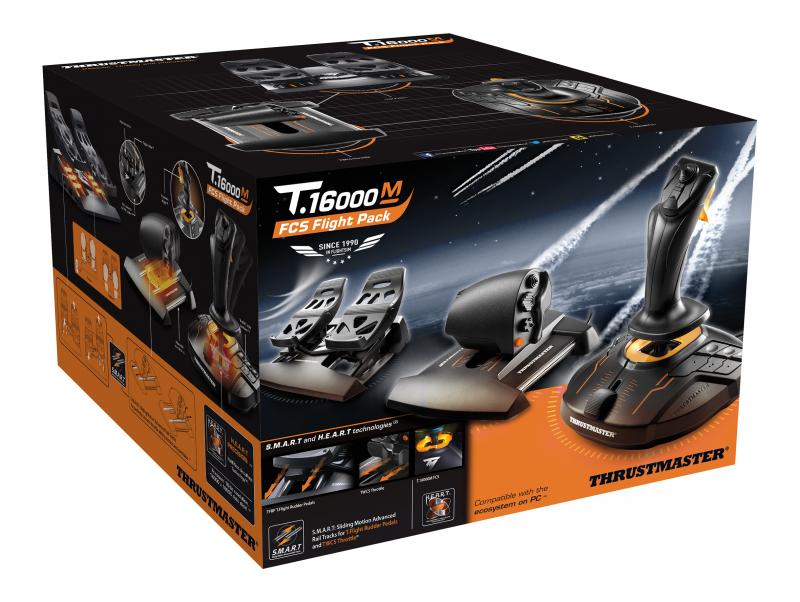
The T.16000M flight pack includes three pieces of essential flight control gear: a stick, a throttle and rudder pedals. They can be purchased separately or all at once as with the pack that they sent me.
This is what is included:
- T.16000M FCS Flight Stick
- Thrustmaster Weapons Control System (TWCS) throttle
- Thrustmaster T.Flight Rudder Pedals (TFRP)
These three products bundled together are commonly sold for around $199.99 USD depending on the outlet although price has varied, and it can sometimes be found for less. This is a lot of gear for a very good price.
The T.16000M with just the TWCS throttle is typically found for $149.99 USD (although I’ve seen it on sale while I wrote this review for $129.99). The T.16000M stick by itself can be found for $69.99 USD typically and again it sometimes goes for cheaper.
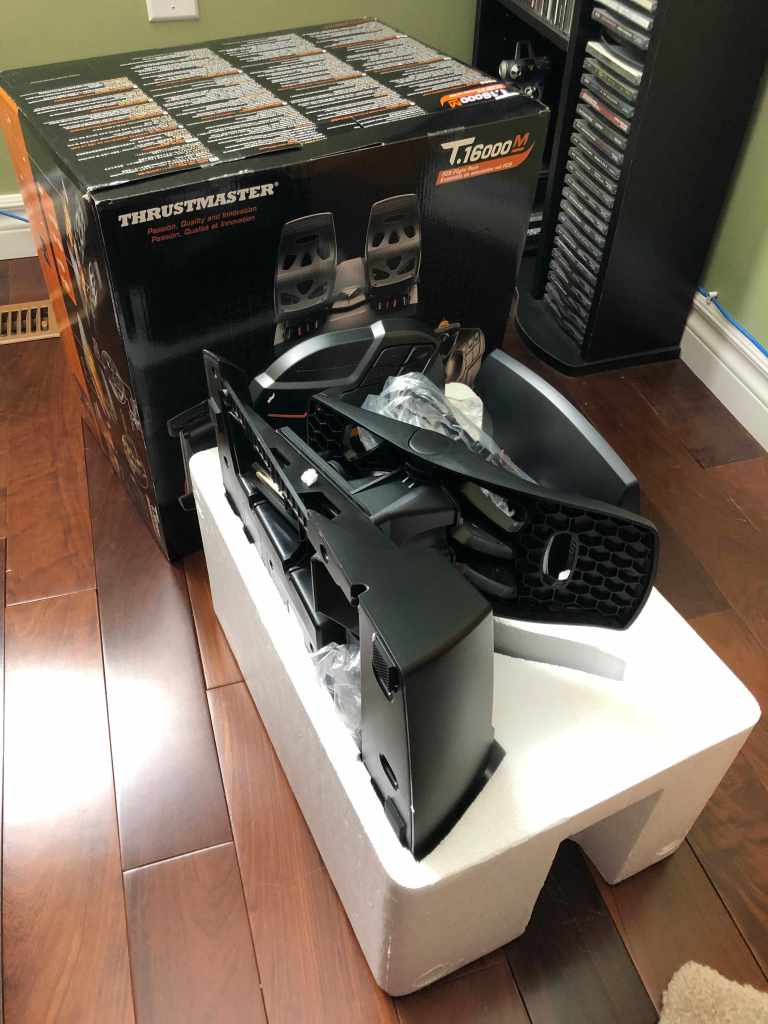
The box was a bit larger than I was expecting yet is exceptionally well packed. The pedals take up the most amount of space while the throttle and stick fit smartly in place. I have no concerns about the packaging being able to handle your average shipping experience. Thrustmaster knows what they are doing with this.
The T.16000M FCS Flight Stick Overview and Thoughts
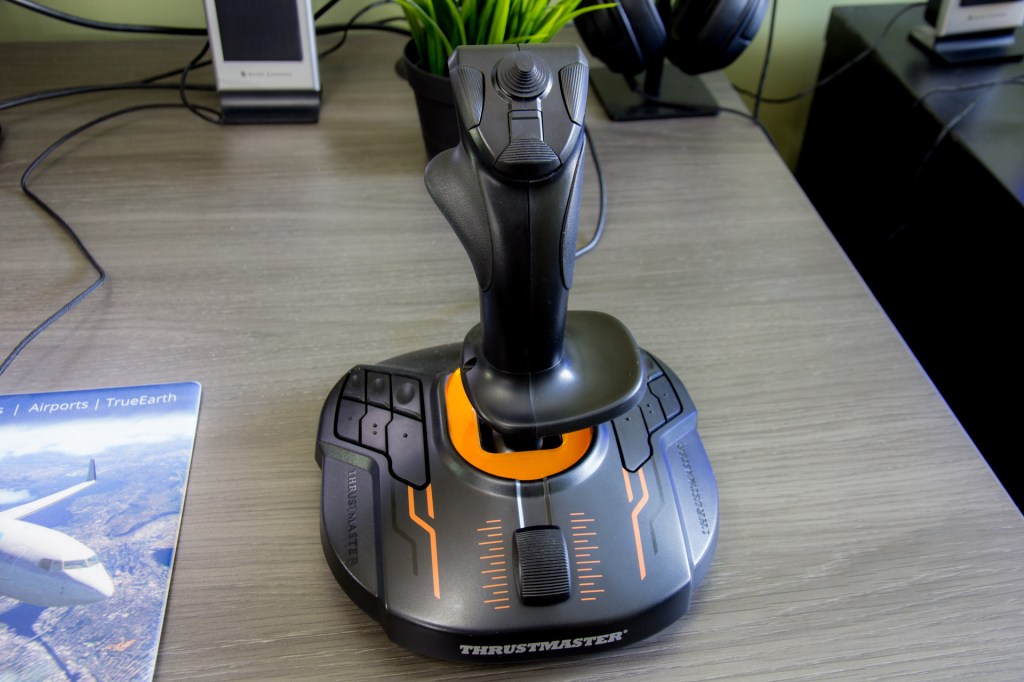
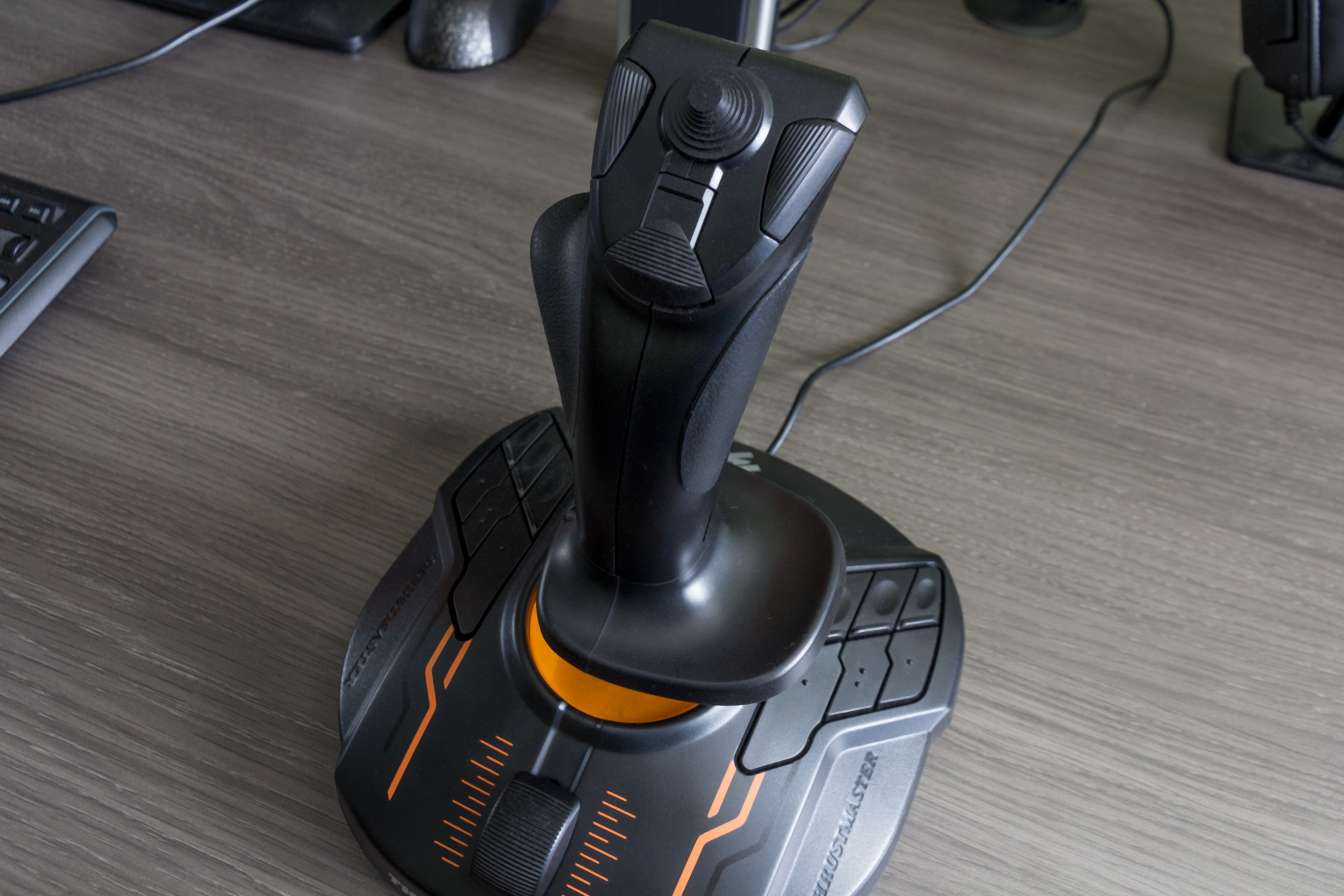
Key buttons and features:
- 4 independent axes including Z-axis twist rudder (controlled by rotating the stick)
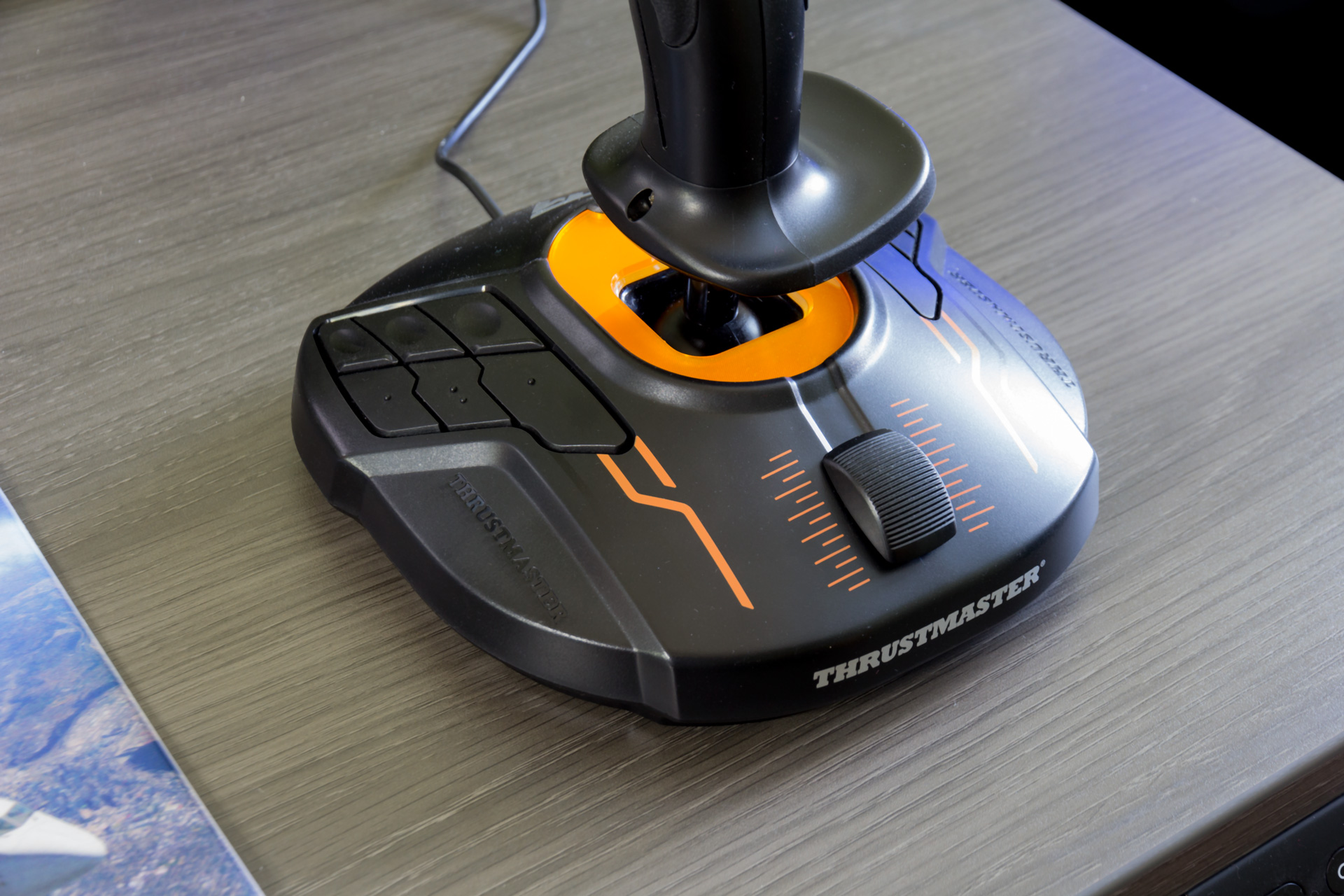
- Integrated throttle axis on the base
- 16 action buttons with ‘braille’-style physical buttons for easy identification
- One 8-way Point of View hat switch
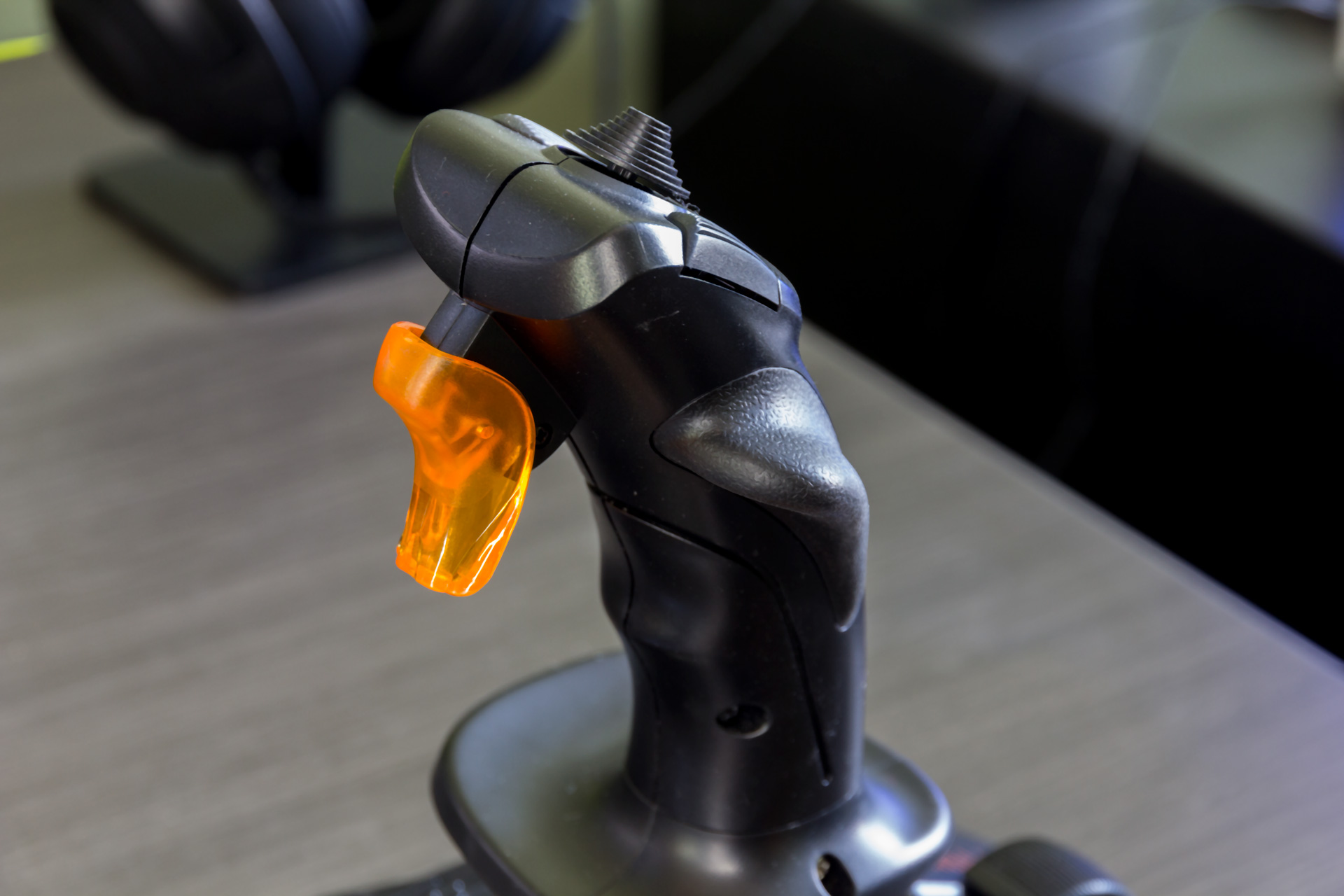
- Single stage trigger
- Hall Effect sensors (called H.E.A.R.T HallEffect AccuRate Technology by Thrustmaster) with 16-bit precision
- Swappable thumb rest that lets it be configured for left or right-handed operation.
The T.16000M features a sturdy plastic construction that feels solid, is consistently moulded and remains planted on the desk thanks to 8-rubber pads. It feels sturdier in person than it may look in photos and I really appreciated how planted the base felt on my desk.
The Thrustmaster T.16000M joystick is designed to be an all-in-one solution all on its own. That means that you can buy just the T.16000M and be assured that you can have at least a reasonable sim experience. It has a throttle axis on the base and a Z-axis on the stick which lets you twist the stick as a rudder. When rudder pedals aren’t a possibility this ensures that you have full rudder control over your aircraft.
The twist axis cannot be locked out via a hardware adjustment, however, you can always unbind the twist axis when using something such as rudder pedals. Something that also doesn’t appear to be locked out is the LED light that illuminates on the base of the stick – its a bit gimmicky for flight sim pilots (perhaps space sim pilots appreciate it more?) but it offered me no usability issues.
When you consider the sheer number of buttons and features on just the T.16000M alone I think its safe to say that this stick on its own with some more rarely used keyboard combinations would let you fly a sim like IL-2: Great Battles Series. You’d be able to fly without having to mash too many buttons on the keyboard which is always a nice thing.
It’s possible to fly the aircraft in DCS World with the same experience as well but at that point I might suggest adding the companion Thrustmaster Weapons Control System (TWCS) throttle to your package.
Flying with the T.16000M
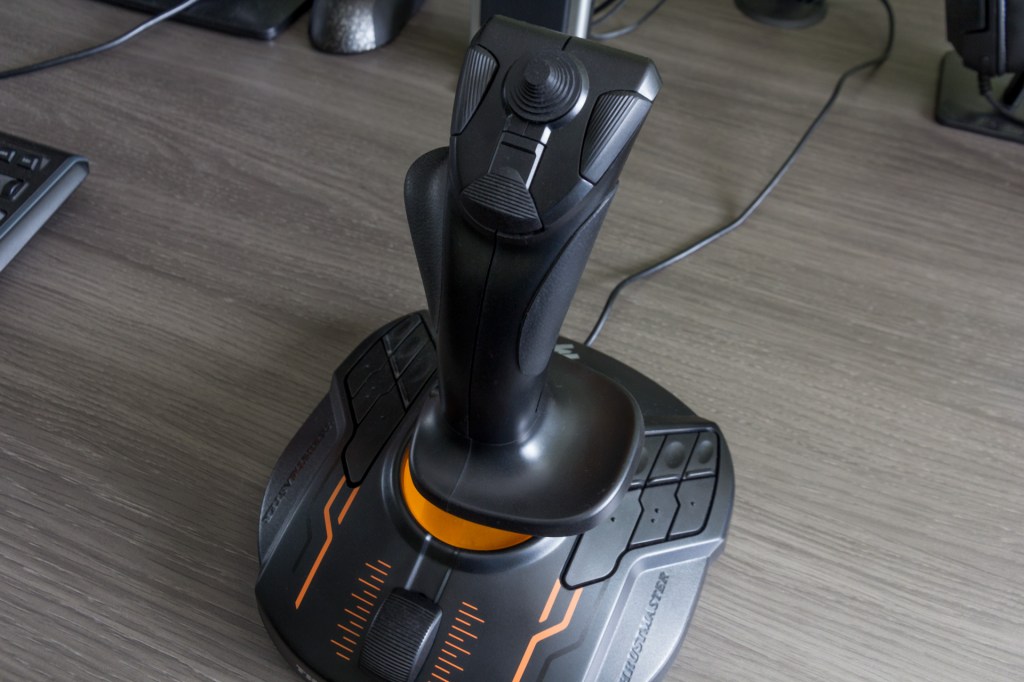
One of the most critical parts of any joystick review is the feel of the stick and the T.16000M surprised me – in a good way.
Cheaper sticks sometimes use cheaper sensor technology. Those cheaper sensors provide less accuracy and that can do things like throw off your aim and make it difficult to fly in a precision manner. That isn’t the case here as Thrustmaster reports that they are using the same Hall Effect sensors in the T.16000M as they use in the higher end Warthog. It shows!
The T.16000M feels accurate and precise. Everything from landing on a carrier deck to performing in flight refueling or just greasing your landing is aided by using the Hall Effect sensors.
The gimbal of the stick is plastic with medium strength springs. The T.16000M offers linear resistance across the entire range of motion and I found the T.16000M offered more resistance than the VKB Gladiator (Mark I) that I’ve previously reviewed and its not quite as smooth – but it trades that by centering quickly and precisely while the Gladiator feels looser. It’s almost on par with the X-52 that I used to fly with and it also, unsurprisingly, feels very similar to the Warthog although the balance of weight in that unit is different.
The T.16000M has a very pronounced on-centre feel for the stick. When you’re moving the stick rapidly from left to right there will be a brief moment where you’ll feel the resistance at the center before pushing through it. Some prefer this feeling of knowing exactly where the centre is, but I find that I sometimes over-correct my maneuvering because of it. I chalk this up to personal preference rather than something inherently good or bad about the stick.
I found the Z-axis twist to have a pronounced on-centre feel to the rest of the stick which makes the whole experience predictable and balanced. The axis was precise and it makes careful rudder adjustments during gunnery, landings and taxiing easy.
I have very few complaints about the feel of the stick but there is one that I must point out. During precise maneuvering the stick can sometimes stick for the briefest of moments before a little extra force gets it moving. Some people have used the term ‘stiction’ when describing this and I think that description fits.
Is it a huge problem? No, not really, as its not always noticeable at least at this point and it did not cause me trouble even during tense maneuvering situations such as in flight refueling or trying to nail a cross wind landing. Some users have reported using Nyogel 767A (after the warranty ran out) to re-grease the stick after prolonged use.
Plenty of buttons

I’ve already gone over the list of buttons, but I wanted to talk about their feel and use.
The 16-action buttons (12 on the base and 4 on the stick) of the flight stick are easy and satisfying to use. They have a smooth and reassuring click when pressed and each button has a braille-like pattern or a unique shape to make it easier to find them without looking. It’s a nice touch.
The trigger is single action and light but with just enough resistance. The click is satisfying. There is a bit of movement required before actuation but its tactile enough that you can prime the trigger and then press it in all the way when needed.
There are three buttons on the top of the stick and a hat switch that all work fairly well and are easy to feel for.
I think the Point-of-View hat switch design could be more ergonomic, but it should physically hold up under regular use. The eight-way switch has just enough of a ‘click’ in each direction to give confidence that you’ve clicked the button. It works decently well as a point of view switch but if you have something like TrackIR installed it works just fine as trim control.
Thrustmaster Weapons Control System (TWCS) throttle Overview and Thoughts
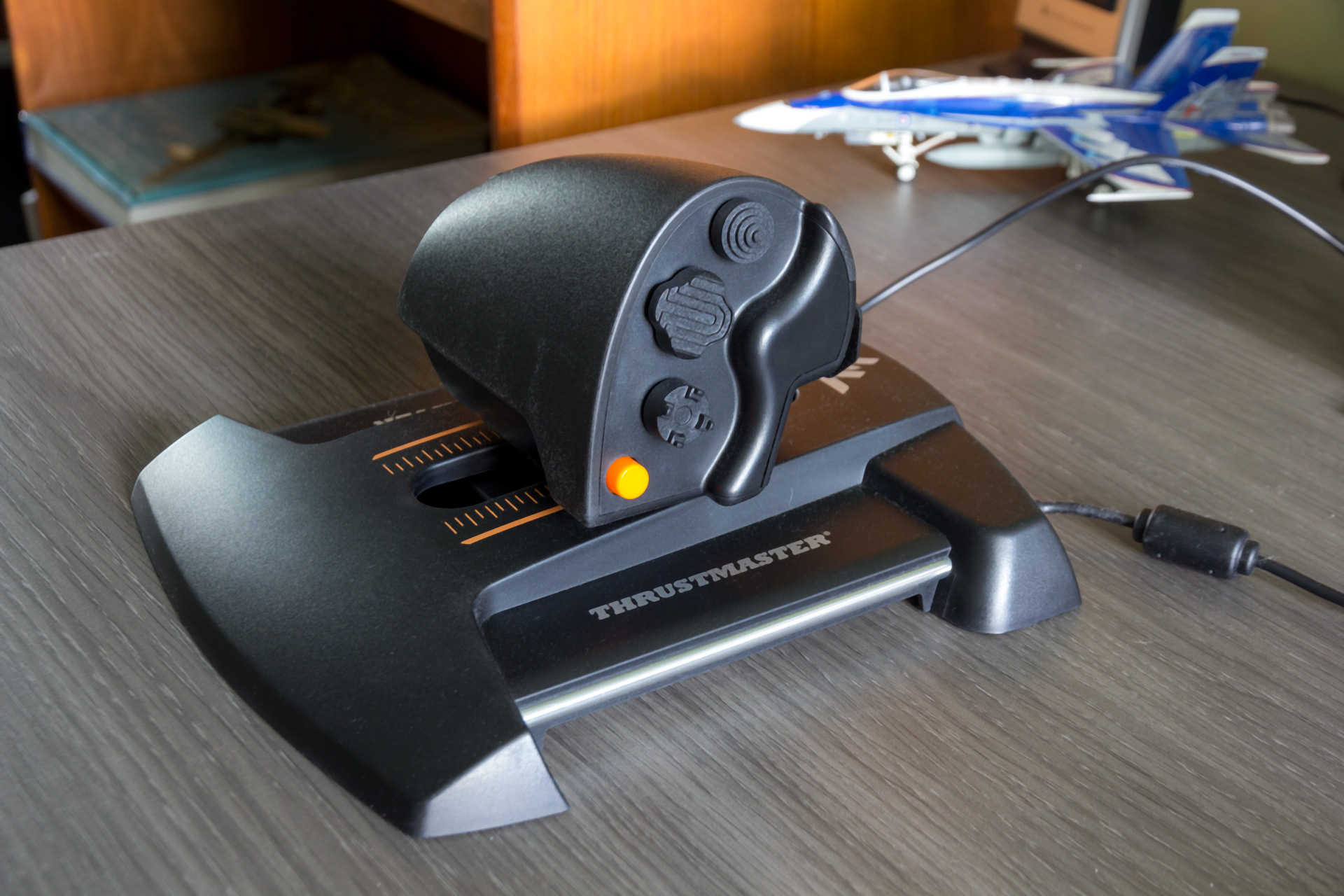
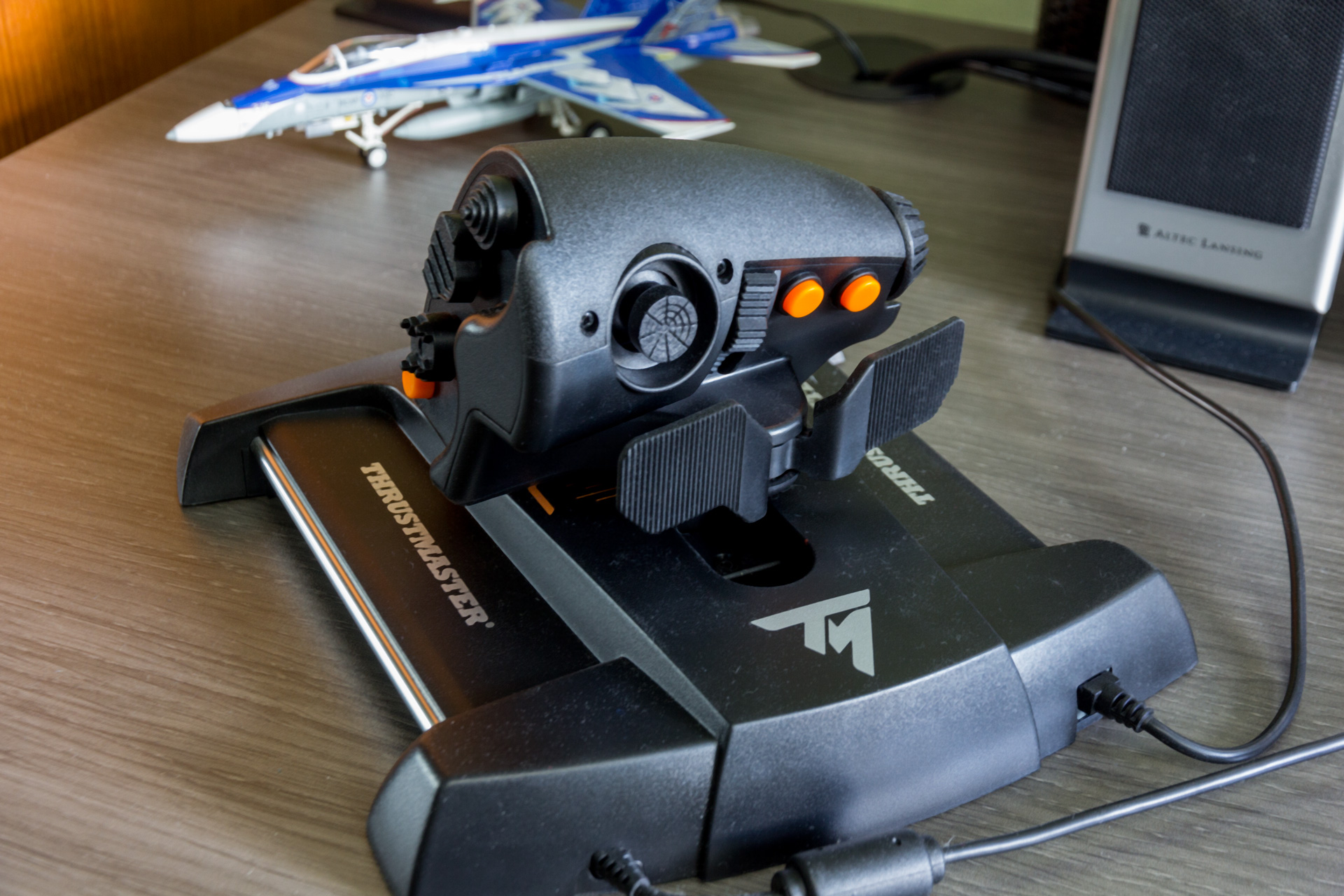
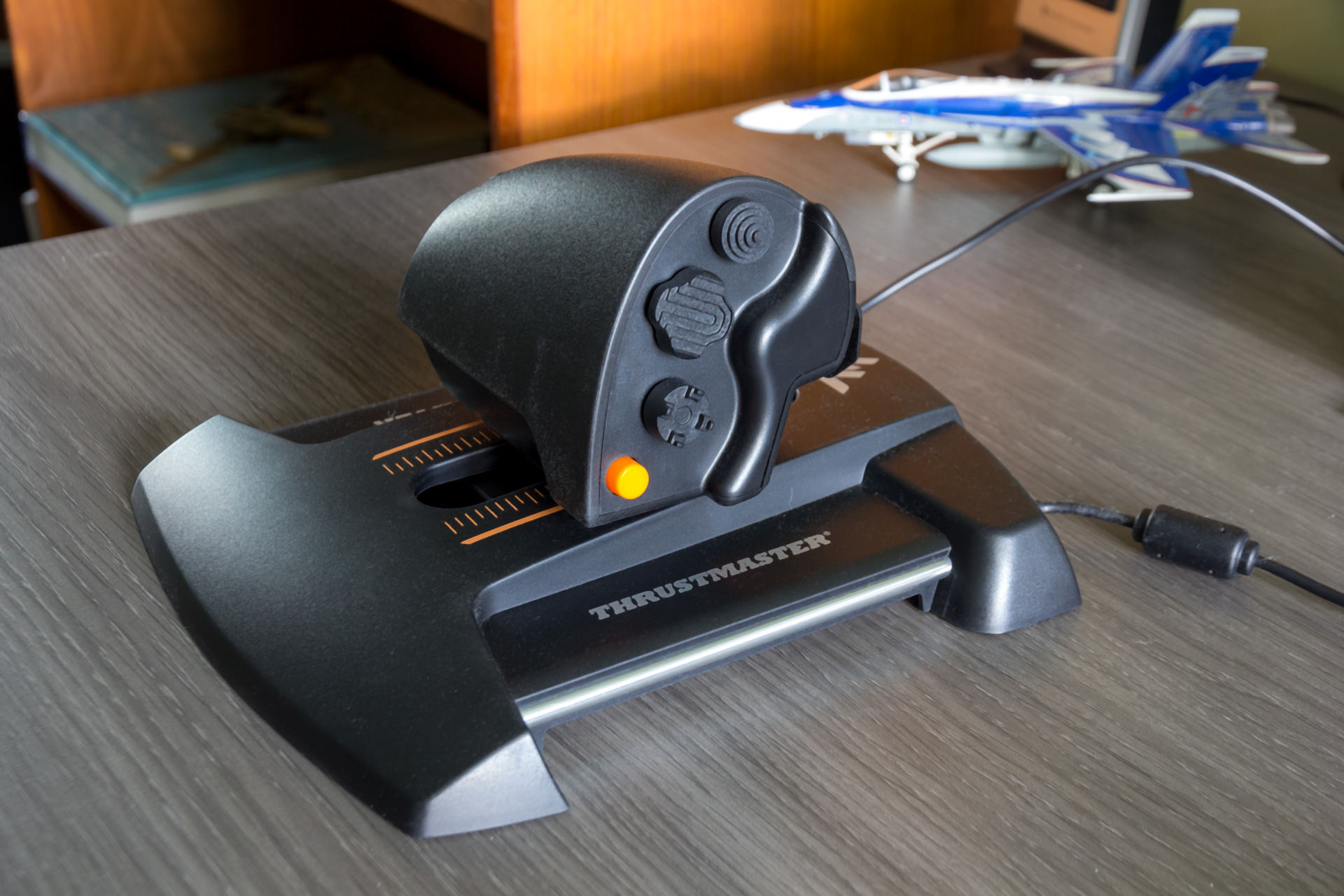
The Thrustmaster Weapons Control System is the second piece of the flight sim hardware trifecta. This is a HOTAS style system with a rarely seen linear movement to the throttle. The throttle is fairly unique as it slides forward on rails as you may see on some fighter jets rather than rotating along a single axis. The TWCS also has plenty of buttons and controls on it which is a really nice touch.
Key buttons and features include:
- S.M.A.R.T (Sliding Motion Advanced Rail Tracks) technology
- five (+ three) axes
- fourteen buttons
- one 8-way Point of View hat switch (similar to a game console controller)
The throttle
TWCS primary job is as a throttle and it does this well with a few exceptions.
The TWCS is a single axis throttle so there is no dual engine management here (no problem as most sims let you manage both engines simultaneously). The plastic handhold is reasonable comfortable though the grip material is relatively cheap in feel. It has the right size and curvature to make sure you can reach all of the various controls located on it.
I also like how the throttle offer a linear travel of the kind that you might see in your typical fighter jet. The whole throttle moves along a track or rails and it’s a nice touch. The design also gives it a wide base which ensures that the light-weight of the overall unit stays put – almost.
The rubber pads on the bottom of the unit aren’t quite enough to hold the TWCS in place on some surfaces. I switched desks halfway through my review and the TWCS holds firm on the one desk but likes to slide around a bit on the other. Depending on your desk surface you may need to add some extra pads on the bottom – or it may be just fine.
The TWCS has adjustable friction via a screw on the bottom of the unit and a standard Philips screwdriver is all it takes to adjust the tension. However, no matter what the tension adjustment level I set on this unit, I find it doesn’t track quite as smoothly as I’d like it to. That makes fine adjustments to throttle sometimes difficult. I’ve read on forums that some have applied various types of lubricant such as Nyogel 767A to improve the smoothness of the travel.
The sensors for the throttle have been excellent, offering precise movements with no spiking or calibration issues that I’ve noticed during the several weeks that I’ve spent testing the unit.
A practical feature set

TWCS has an impressive amount of capability thanks to the number of hat switches and controls located on it.
Three four-way hat switches on the side of the unit offer a lot of capability for fans of DCS World or IL-2: Great Battles who want to bind engine controls, chaff and flare release, air brakes, and other controls that are needed at a moment notice. The design of each hat is unique so you can easily feel for the correct switch without needing to look away. They are made of relatively cheap feeling plastic but offer good click feedback when moved around.
The 8-way Point of View hat switch with button press feels like a high-end feature and is ideal for doing things like slewing sensors or being used to look around a cockpit. This feels just as good as a PlayStation or Xbox controller in my opinion and its easily the best part of the TWCS.
There is also a wheel axis on the left side of the TWCS handle that I’ve found to not be very useful as it lacks accuracy. I tried having it bound to my prop pitch in IL-2 and my radar azimuth in DCS and I found it to jump around a lot making it difficult to rely on for precision control.
The TWCS also has a rocker axis on the back of the HOTAS that could be used for a variety of different controls including another optional way to configure rudders (if you didn’t have the rudder pedals and did not want to use the twist axis on the T.16000M stick). I didn’t use them that much, but they work well and are precise.
The three single press buttons work well and I have no issues with them. They are all located in places that are easy to reach which makes them useful for all kinds of different controls.
T.Flight Rudder Pedals
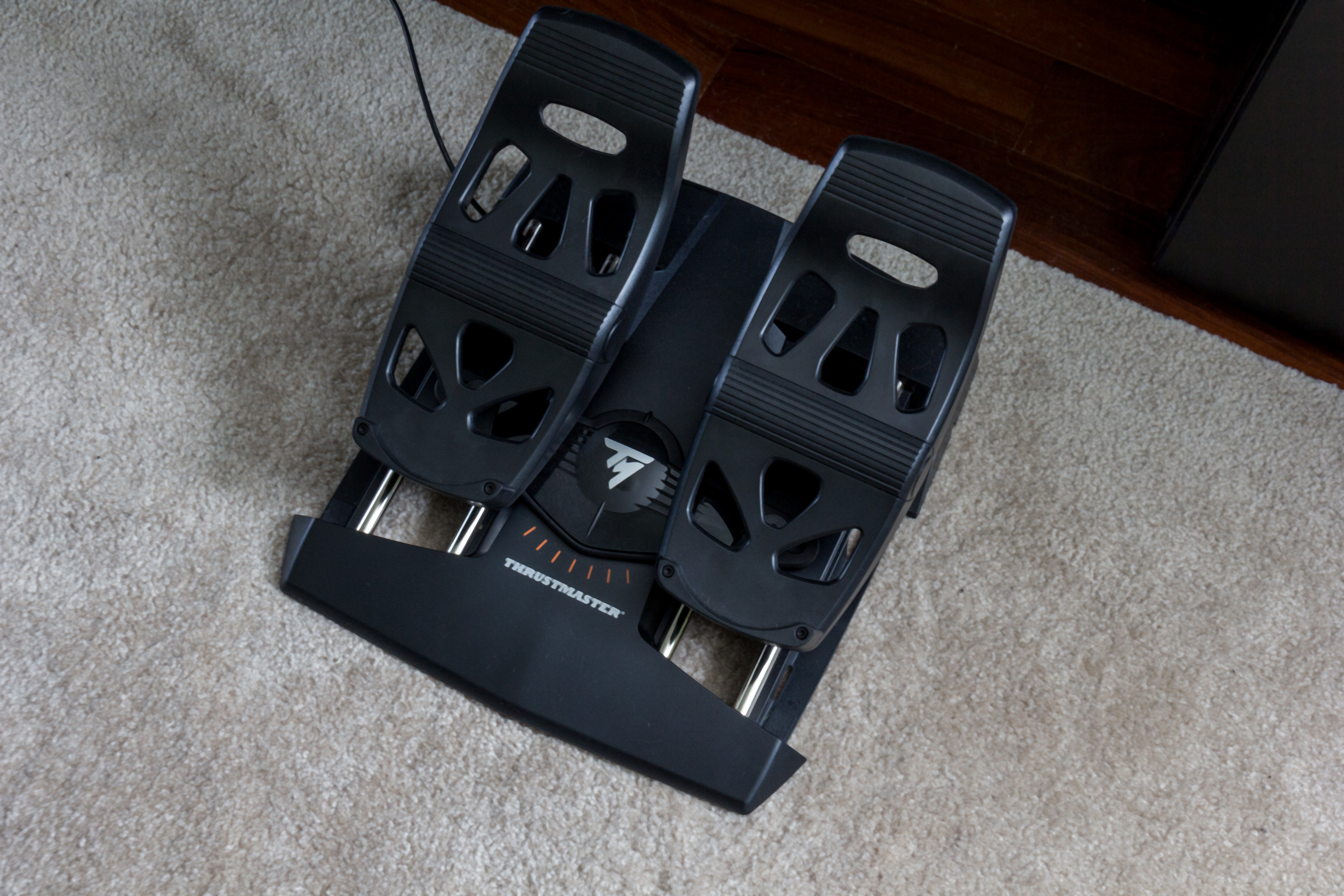
Thrustmaster also includes the T.Flight Rudder Pedals in this package which completes the three essential components for flight simulation.
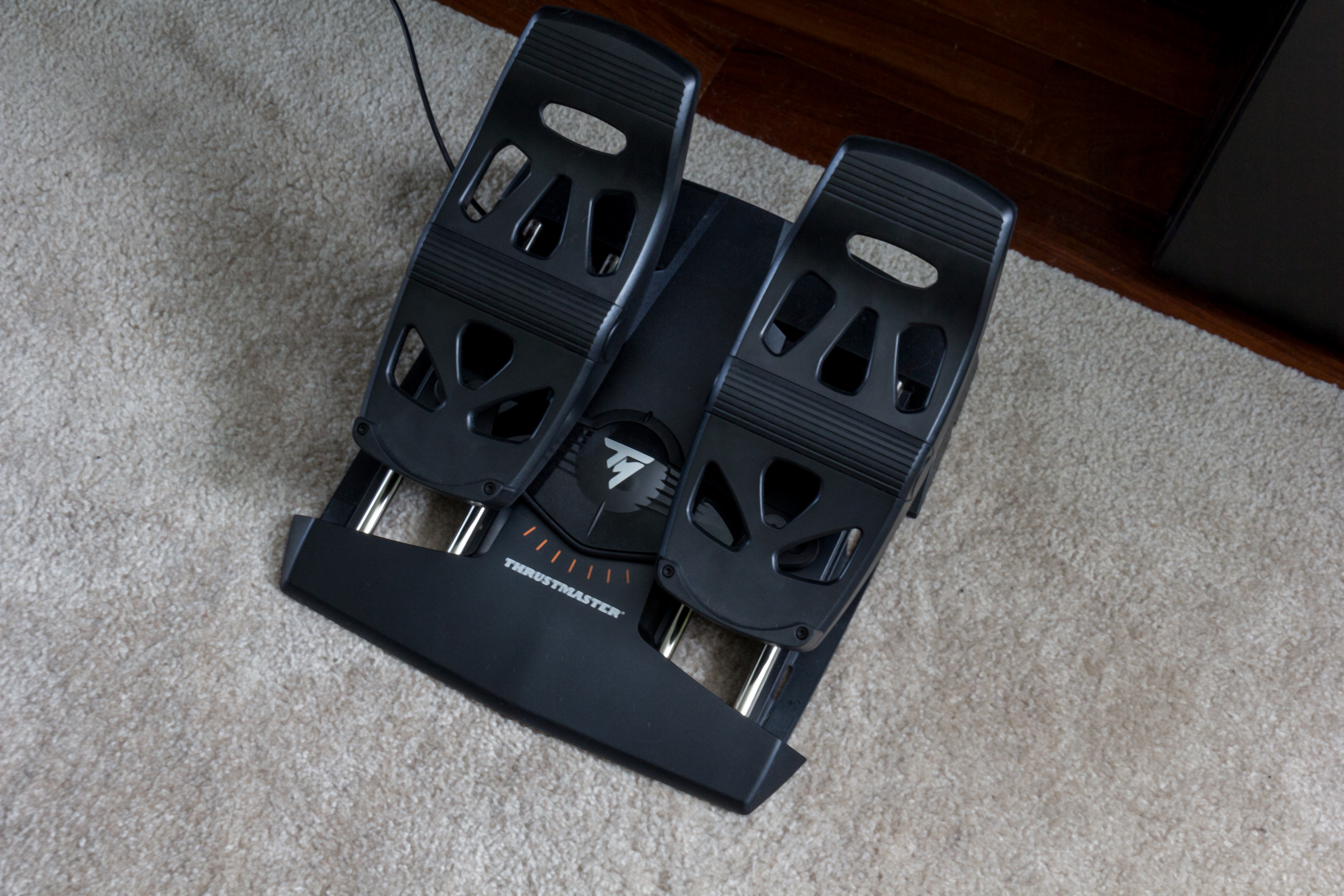
The pedals connect to the throttle via a RJ12 connector so its recognized as a single USB device. The pedals operate on a sliding smooth rail using aircraft grade aluminum and feature both rudder and toe brake operation. The base of the unit holds in place on most floors thanks to five rubber pads. I did find some slight slipping on my hardwood floors but carpet and anything with more texture will probably hold them in place just fine.
Pedal design
The pedals themselves feature plastic construction that feels sturdy and well put together. The pedals are adjustable to handle different size feet, but I found no need to adjust them personally. The movement along the rails is also smooth and precise. The sensitivity offered by the sensors was sometimes a little too much and I’ve needed to use either the Thrustmaster software or in-game axis adjustment to dial down the sensitivity a little. This is not a bad thing and is easily solved to suit your own preferences in most sims.
The ruder pedals are narrow in design which comes with both pros and cons. The downside is that they are sometimes a little too narrow. The advantage of the narrower design means that they work well in smaller spaces where a wider set of pedals may just not be practical. Ultimately this has a lot to do with personal ergonomics and preferences as well as the realities of the space you may be doing your flight simming.
Pedal feel
There are pedals on the market that offer rudder only with no toe brakes, so I was surprised when I found out that Thrustmaster saw fit to make sure that these had both features.
Just like the T.16000M stick, the pedals also have an on center feel that gives you feedback where your feet are on the pedals. Feedback is linear rather than progressive so it can be a bit difficult to feel where you’re at on the pedals but usually feedback from within the sim is enough to give you a sense of what you’re doing.
The toe brakes feel just as smooth moving as the pedals and there is enough travel to ensure that you can adequately modulate your brakes at the level you need them to be at. It is easy to make use of them to stop your aircraft or just merely slow them down. Differential braking is extremely useful to maneuver around on the apron and I really put them to use maneuvering the DCS: F/A-18C and DCS: F-14 on the carrier deck – lining up with the catapult can be a precision maneuver and these handled the job perfectly.
The software
All of the devices in this pack are plug and play. Plug them in and Windows game controller handles the details just fine. I spent most of my time in the review using nothing but that as a setup and everything works fine.
Thrustmaster provides the T.A.R.G.E.T. software for more advanced management of the hardware. It can be downloaded from Thrustmaster and it features a refined interface that lets you manage both basic and more advanced features including managing profiles for games, creating functions to perform specific actions, and tweak the axis sensitivity on your devices.
I didn’t try this feature but T.A.R.G.E.T. does let you create virtual hardware devices such as a virtual keyboard, mouse, and so forth to handle just about any sort of software/hardware interface situation that you might need. My experience with the sims that I use suggests to me that no such feature is required, however, it may come in handy in specific circumstances.
Overall, Thrustmaster’s software is easy to use for basic functionality and powerful enough to suit almost any enthusiasts need. And most of the time you may not even need to use it which is just fine too.
Final thoughts and conclusion
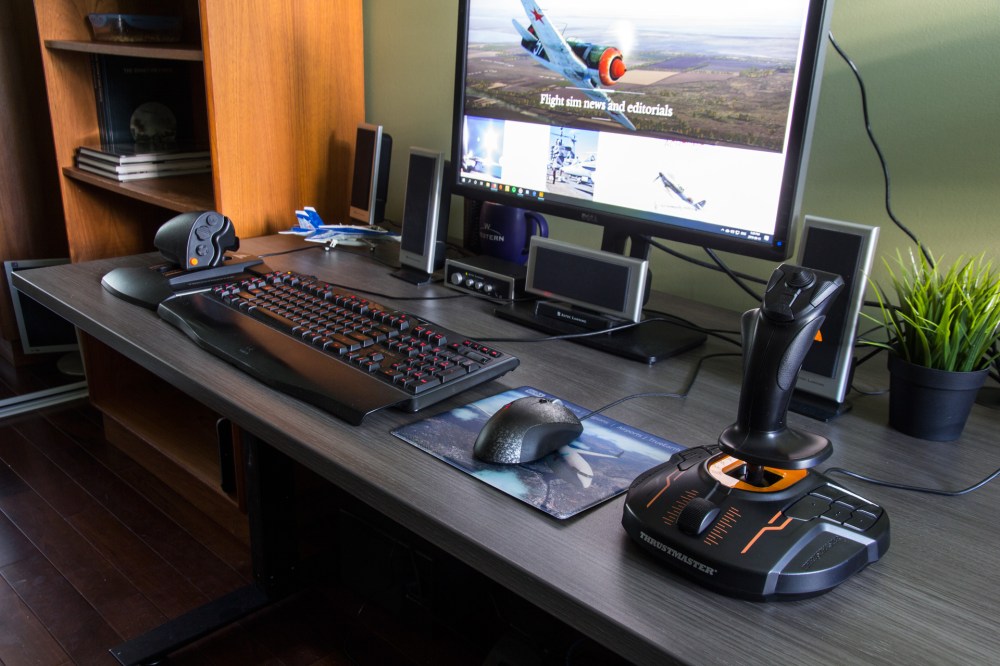
I can sum up my experience with this package by saying that Thrustmaster’s designers put a real effort behind the creation of the Thrustmaster T.16000M TCS flight pack. They made sure that they were able to provide the greatest amount of flexibility and usability for almost any sim and do it at a price that won’t break the bank.
Throughout the review I’ve done my best to keep the perspective that this set offers a value oriented combination of features for price. The hardware included in the T.16000M flight pack are designed to a lower price point and that means that there is a lot of plastic and many buttons and surfaces feel cheap as a result. But that isn’t the whole story.
Despite those downsides, the three pieces of this package are still extremely compelling as Thrustmaster has put the effort in where it counts. Each of these pieces offer the buttons, axis options, and sensor quality where they are most needed.
In writing this review I spent several weeks away from my usual hardware using nothing but this package. I put it to use in tense dogfights in DCS World on the Persian Gulf at War server flying the DCS: F/A-18C, I’ve used it to fly the X-Plane 11 DR401 and Epic E1000 from Seattle to the Rocky Mountains and across the Prairies, and in IL-2: Great Battles during tense strike missions and dogfights in single player and in multiplayer on the very demanding Tactical Air War server. The T.16000M flight package can handle all of that and it can handle it well.
The bottom line is this – there are more expensive hardware packages out there that offer a more premium feel and specific features, but there’s nothing that you can’t do with the combination of the Thrustmaster T.16000M, TWCS throttle and T.Flight rudder pedals. If you are price conscious or you are just getting started and you don’t want to commit to spending thousands of dollars on high-end gear, this package should be at the top of your list.
Images
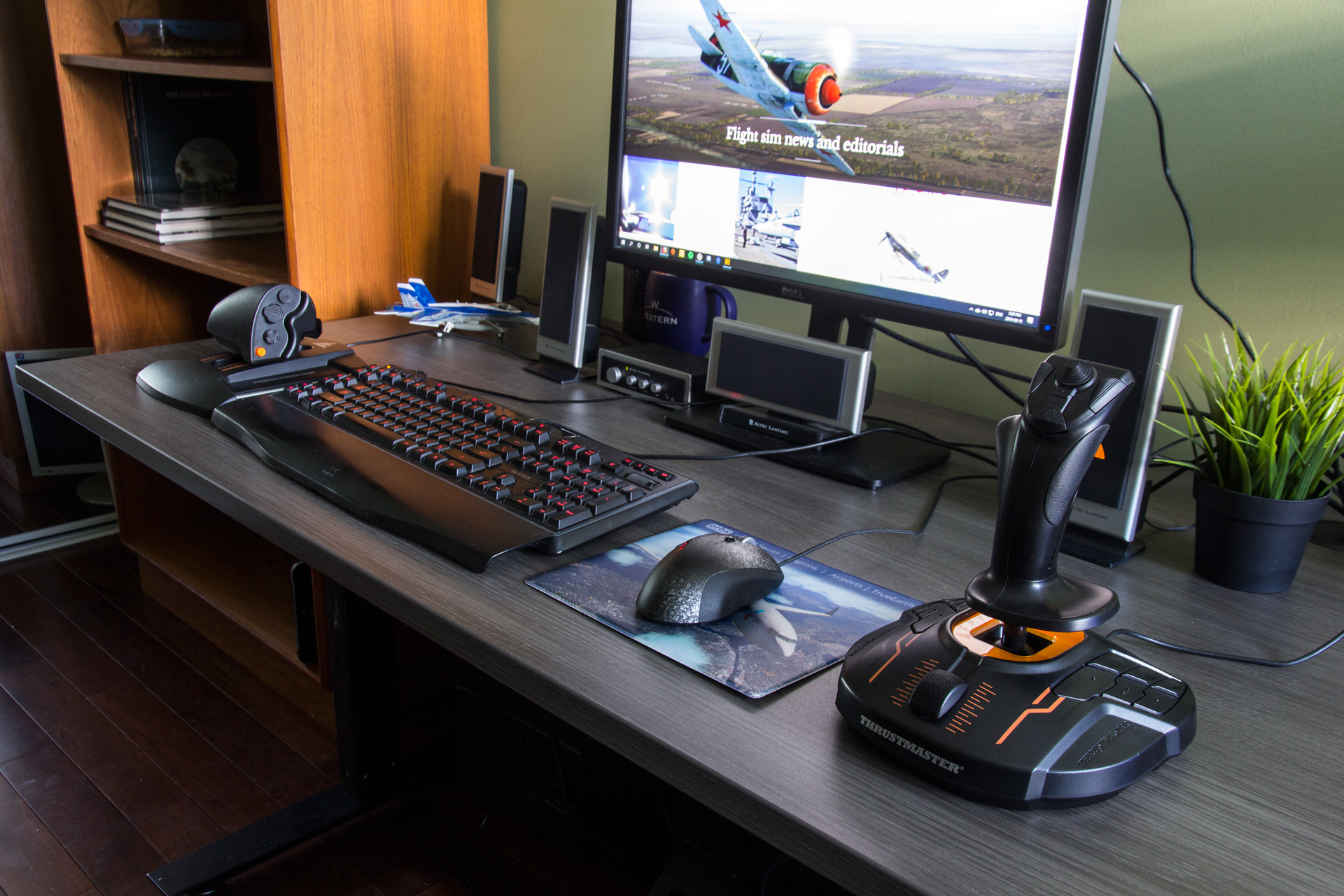

This article was updated on August 14, 2019 to correct an inaccuracy in the number of buttons shared between base and stick.



 Stormbirds
Leave a comment