

For a long time now I’ve contended that we’re living in a golden age of flight simulation. We’ve seen the hobby explode in multiple different directions over the last decade picking up from the last golden age and heading outwards into all kinds of different directions. Technologies that we’ve long taken for granted are seeing new challengers offering new and exciting alternatives. One of those spaces is head tracking and one of those challengers is Tobii.
I’ve had the opportunity to spend almost a year testing Tobii’s Eye Tracker 5 technology with a laser focus on how well it supports flight sims. After all of that testing I’m prepared to share with you my full review of the technology. Tobii hails their Eye Tracker 5 as the next generation in head and eye tracking technology. Is it? Will it work for your flight sim experience? Let’s dive in and help answer those questions and more! Also, if you’re here to copy my settings, check out my section at the bottom where you can get the settings I’ve settled on while writing this review.
Disclaimer
As is customary with all of my reviews I always reveal the circumstances surrounding the testing of any hardware that gets sent to me. Tobii set me up with the Eye Tracker 5 for evaluation and offered to make Stormbirds.blog an affiliate – that means if you buy from this link I get some rewards back. As much as I’d love to see that happen, my primary goal is to review the hardware and tell you what’s good, what challenges you might face, and arm you with the information to make the decision on a purchase. Tobii’s representatives get to read this review at the same time you do so they have not exercised any influence over its writing.
What is the Tobii Eye Tracker and where does it fit in the market?
For dedicated flight sim fans, having some sort of head tracking solution in place has become almost a right of passage after a powerful PC and a joystick. This is unfortunately not a cheap hobby… but most of them aren’t.
While some in the civil aviation flight simulation space can get by without a headtracker, having one is certainly more immersive. Having a head tracker in combat flight sims, though not mandatory, is necessary in some of the more highly competitive areas of that experience. It can mean the difference in in an online or offline dogfight. It also frees up hat switches or other controls to do other things like control radar, select weapons, or queue up ECM or countermeasure programs.
There are a few options out there to get you going with a headtracking solution. TrackIR is the longtime standard for IR headtracking together with a slew of other options from other companies such as TrackHat and Delanclip offering comparable third party options at reduced prices. TrackIR has become the brand name to represent all of these IR based head tracking solutions and they all pretty much work the same way – an IR camera mounted on your desk or monitor tracks the position of IR lights or reflectors worn on your head. This is the way its been for a couple of decades now but recently I’ve started to feel like this is yesterdays technology particularly as I observe the eye and face tracking features on modern mirrorless cameras.
VR or virtual reality is another option out there. This technology has been waiting for the computing power and the killer apps to make it a success and flight sims are one of those killer apps. VR’s challenges remain with its sometimes awkward fitting gear and the challenge of running high fidelity flight sim graphics twice over to feed into the VR headset’s goggles. VR is great for some but not for everyone.
Enter Tobii and the Eye Tracker 5 fit into the mix! The Tobii solution offers headtracking and eyetracking in 3D space and lets you control the viewpoint in your chosen sim simply by moving your head and/or eyes back and forth. All of that is tracked by the sensors and translated into motion. Tobii goes an extra step above what TrackIR does and mixes eye tracking into the bag of tricks too letting you use just your eyes, just your head, or some combination of both to control the viewpoint. Best of all, it does it without you needing to wear anything on your head which simplifies your sim setup and in some cases makes this a more attractive solution.
That’s the overview so lets now look at the hardware.
The hardware
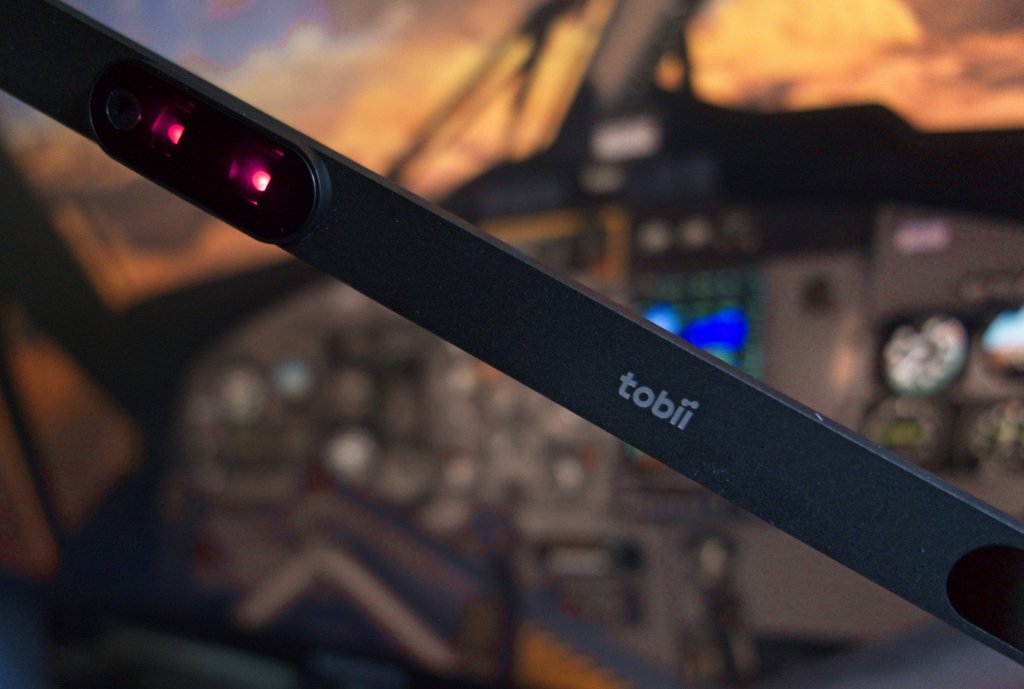
The core of the Eye Tracker 5 is a thin bar looking device that can be attached to a monitor or laptop. IR lights and a sensitive camera system track your eyes and the position of your head.
The unit itself is a small and robust unit and while mounted on my desktop monitor is absolutely unobtrusive. After years of having a PS3eye web camera from my Delanclip sticking off of the top or stuck to the bottom, this feels sleek by comparison. It’s wider than TrackIR’s proprietary camera system but far thinner.
It’s attached via a Velcro system that sticks to a mounting bracket that you glue to the bottom of your monitor. So long as your monitor has a flat space you should be able to stick the bracket and the rest of the device right on. It appears to use something similar to those 3M tabs where they stick on quickly but then don’t leave a mark should you need to remove them. I can also vouch for the sticking power as this unit has stayed attached to the base of my monitor for spring, summer, fall, and winter and no reasonable amount of heat or cold seems to have affected it.
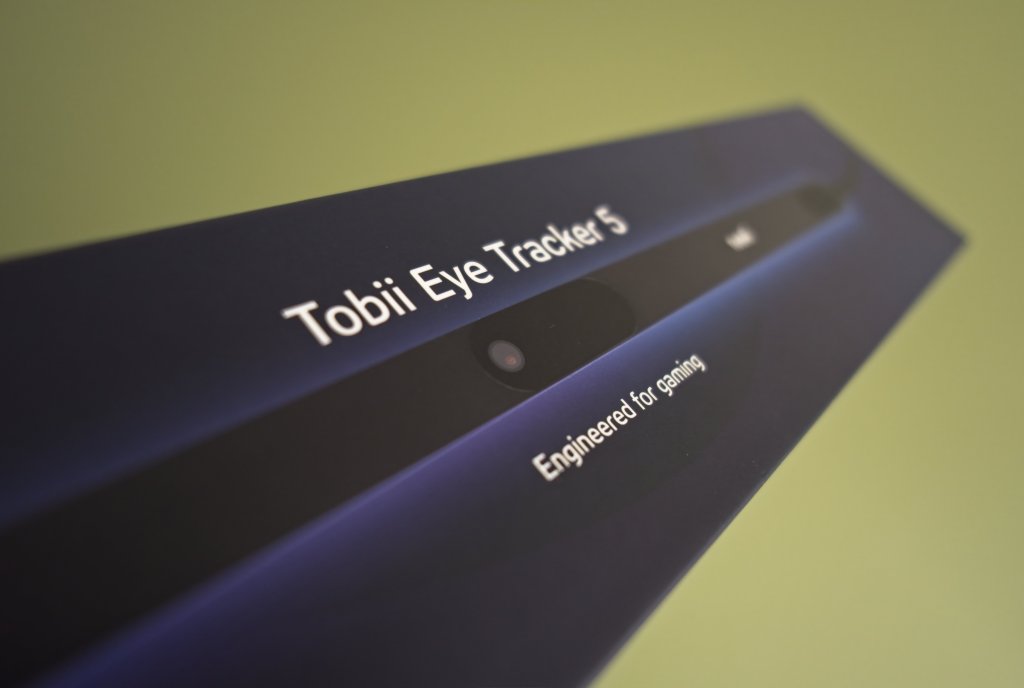

For more about the packing and unboxing experience, check out Part One: Tobii Eye Tracker unboxing.
The software
There are two essential components of the Tobii software setup.
First, the Tobii Experience is a mandatory piece of software that helps you do basic management of the unit. This is where you do the initial setup and calibrate the software to see your head and your eyes. It’s also where you can go back and test as well as further refine the calibration. In my experience you don’t need to do this very often or ever after the initial setup but there are probably instances where a reconfiguration is needed.

Since my initial review, the folks at Tobii addressed the one thing that was bugging me about the software. If I ever wanted to quickly enable or disable the tracker, you had to go into the software, go into a menu and then disable it. Now they’ve added an option on the system tray pop-up. Nice work folks! It’s the little things that I appreciate.
Next, there’s the Tobii Game Hub. This is an optional pack, however, for flight simmers I recommend it as this is where you identify some of the sims that are supported and make tweaks to the setup. It’s essential for use with DCS World, X-Plane 11 and X-Plane 12.

I’m adding one more piece of software to the conversation here as well. FaceTrackNoIR is a third-party head tracking software that sports modularity and that makes it a good option for adding on support for all kinds of headtracking solutions.
The developers of this software worked with Tobii’s developers to offer support for FaceTrackNoIR and this is a good thing because it basically assures that the Tobii hardware will work even with older/unsupported software that understands headtracking only via TrackIR. FaceTrackNoIR is a good bridge for that. Learn more about FaceTrackNoIR and Tobii Eye Tracking here.
Supported flight sims and compatibility discussion
I had the opportunity to test the Tobii with a variety of flight sims including DCS World, Microsoft Flight Simulator, X-Plane 11 and 12, IL-2 Sturmovik: Great Battles, as well as IL-2 Sturmovik: Cliffs of Dover BLITZ.
DCS World
Eagle Dynamics’ DCS World has full first party support for the Tobii Eye Tracker built right into the software. Installed via a plugin inside the Tobii Game Hub, you should be good to go almost immediately after.
If you have OpenTrack or another headtracker installed you may run into some issues. As I later learned, those can cause conflicts with Tobii’s software. If you do run into trouble, you’ll want to uninstall OpenTrack and clear things out before installing the Tobii software.
There is one other “problem.” For those that like to have your headtracker control the exterior camera on your DCS module, Tobii and DCS currently do not support such a configuration. I tended to leave this capability off even with prior headtracking solutions so this wasn’t a big difference for me but some of you may want to note it.
Aside from that, DCS World works beautifully with the tracker. I have heard from Eagle Dynamics that additional support for Tobii trackers is planned at some point down the road. What this entails I’m not sure of but the implementation is already excellent.
Microsoft Flight Simulator
This is another sim that has official support. Microsoft and Tobii have done a fair bit of cross promotion and you see this sim used in a lot of the marketing materials from Tobii. With good reason as it works just as well as DCS World does with the added advantage of having exterior camera control if you want it.
MSFS is also the only sim that I tested that has native Tobii support built right into the sim. The Game Hub is not needed and is not used to adjust your settings. You need to edit and tweak settings within the MSFS configuration interface. It’s very capable but I admit that I prefer to adjust the settings in Tobii’s software setup a little bit better than the MSFS interface.
I have run into problems as FaceTrackNoIR’s TrackIR emulation tends to override the native configuration for the sim. You need to disable or uninstall that software to prevent that issue from occurring. Of course, you can also use FaceTrackNoIR for your head tracking in MSFS and that works reasonably well too.
X-Plane 11 and 12
Tobii added X-Plane 11 support in 2022 which was great to see. Later, during the X-Plane 12 beta, they produced a plugin that supports that as well which means that both recent versions of X-Plane now have native support.
The Tobii implementation works very similarly to TrackIR in X-Plane with head movement being somewhat less fixed than it is in other sims. Your head tends to float around a bit and you can easily lean out a window if you move in an extreme enough way. This is absolutely an X-Plane thing rather than a Tobii issue and its basically expected behaviour with X-Plane.
As it is, its still a very usable implementation and it works as well as DCS and MSFS with the ability to move your head in all directions. Tilt, lean, left, right, up and down.
The IL-2 series
There’s a bit of a story with the IL-2 series and Tobii’s eye tracker. IL-2 Great Battles used to have direct support for the Tobii Eye Tracker but at some point this was dropped. The support was offered through VJoy but for an unknown reason no longer does while Tobii’s website still lists IL-2 Sturmovik: Battle of Stalingrad but then explains that support is only available in older versions of the software (something I did not test).
There is a solution. With FaceTrackNoIR running in the background, you can start up IL-2 as you normally would and the Eye Tracker 5 will feed your head position into the software. It’s unclear to me if eye position is tracked but it doesn’t appear to do that which is fine because it still does a good job of head positioning.
After some significant work tweaking the settings, I was able to get something that works reasonably well. There is one caveat and its a pretty big one unfortunately. Tilting my head up and down seems to produce sluggish results and I’m not able to look fully up or down. Left and right and tilting my head is fine but looking up only works so far and then it starts jumping around all over the place.
Consulting with other users has revealed that this is unfortunately a common problem and one without a solution at the moment. Hopefully it or official support can be worked out in the future.
The same solution works for IL-2: Sturmovik: Cliffs of Dover and with the same caveat.
In this video you can see a full quick mission dogfight flying the P-51D against some Fw190s and Bf109s. The head tracker is very responsive as you can see with the exception of looking up and down.
Getting your setup just right
I’ve talked a lot about the nuts and bolts of Tobii but now it’s time to talk about how it is in practical use.
Setting up the Tobii takes some time and slightly more finicky to setup than TrackIR solutions are. You have to spend the time getting your head curves right. That’s where some reviews and people have struggled with the setup as it just needs a little more time. I was committed to making it work and I’ve managed to get my settings to the point where I’m very happy with them.
In all of my configurations, I’ve moved to a 99% head tracking and 1% eye tracking. That gives the camera a small amount of low acceleration movement with the eye movement giving you just a bit of extra motion at certain times. The rest of the time its your head dictating the movement and that seems to be the best way to manage flight sims. Eye tracking on its own or as the primary method is either too slow for a dogfight or too jumpy for cockpit clicking depending on how its dialed in.
In some software, eye tracking might be a great way to interact with the game but with flight sims I find it’s the head position that is key and so the eye tracking features become less of a distinguishing feature. Maybe its because I’m so used to using my head to position my virtual pilot but I can see most other sim pilots going this way too. If you do happen to go with a primary or all eye tracking method please let me know in the comments because I’d love to know how you adjusted to that.
You also need to consider your setup in a variety of ways as your hardware scenario matters a lot. A desktop monitor with a flat space underneath makes for the ideal setup. Tobii say that a monitor that is 27 inches with a 16:9 Aspect Ratio or 30 inches with a 21:9 Aspect Ratio are the recommended size. I’ve got a 32 inch 16:9 monitor and that works fine with the tracker reading my eyes right to the edge of the screen. The system is clearly more adaptable than they suggest but if you sit too far away or too close that may also be a problem – note that this is not a uniquely Tobii issue as TrackIR solutions suffer with this too.
I’ve heard from others that curved screens are generally fine too and there are provisions for sticking the Tobii to a laptop as well although I have not tested my setup with that kind of configuration.
I talk a bit about getting my setup just right and the challenges that I faced in Part Two: Early impressions.
Responsiveness
Some have told me that they found the Tobii slow to track but my experience has been the opposite. I’ve found the Tobii Eye Tracker 5 to be fast and highly responsive to my head and eye position. Every tracker I’ve used except for VR has always had an extremely minor delay and I’ve found the Tobii to have a comparable level of delay.
I’ve also not noticed any added delay or issues with tracking when the sunlight is streaming into my office. There may be more extreme cases such as with an extreme backlight where the sun may overwhelm the system but with my arrangement I’ve experienced no problem at all throughout the many months that I’ve spent testing it.
On a sim like DCS World where headtracking is essential in a dogfight, the Tobii works extremely well. I’ve tried it in modern aircraft like the F/A-18C Hornet, Cold War era types like the AJS-37 Viggen, and WWII types like DCS’ Spitfire IX and it works really well. In these situations, the tracker is just as good in my opinion as TrackIR.
The only time I’ve experienced an annoyance is when you’re trying to do something while zoomed in. For some reason, the Tobii is very sensitive in these situations. Zoom in on some switches at the side of your cockpit or an MFD panel and it tends to bounce around more than it does with other trackers. I’ve not been able to tweak that twitchy feeling out. Most of the time its ok but sometimes it can make clicking something a bit challenging. In this scenario, the TrackIR solution is more steady and easier to work with.
Here again you can work with the FaceTrackNoIR which has filtering that seems to do better when zoomed in than the default Tobii setup. Is there a way for Tobii to add some sort of added filtering so its less jittery? I don’t know but I’m guessing the answer is maybe yes which gives me hope that this platform with the current technology can progress beyond where it is now.
Accessibility
The Tobii really shines in a couple of ways that TrackIR and VR solutions do not. Once setup and tweaked, the Tobii is just there sitting beneath your monitor at the edge of your vision and hardly noticeable.
Load up a sim like DCS or X-Plane and you’re in without messing around with a headset or setting everything up. That makes my time getting into the sim so much quicker than before where I was starting up a lot of extra software, putting on my headset, making sure my IR track clip was positioned just right, and then getting going. Tobii is just faster and more convenient.
For some time now, I’ve also struggled with a neck injury that has made heavy VR headsets and even lightweight headphones an uncomfortable and untenable solution for me. The Tobii fills the gap easily. If you’re someone who commonly struggles with that or some other issue that makes turning your head an issue, using the eye tracker might be a possible solution for you. This is a big win for me personally but its also extremely convenient and a potential solution for others.
Conclusion and final thoughts
There’s an awful lot to like about the Tobii Eye Tracker 5. Well designed software that is both aesthetically pleasing and also pleasantly easy to use is a good start and its functionality inside common flight sims makes it a top contender for non-VR headtracking in 2023.
It does falter a bit in that the setup is a bit more finicky than your average TrackIR setup and that means more time spent in the software dialing in the right settings. Because Tobii is relatively new with their solution versus the couple of decades of TrackIR support that exists you’ll find there is less first party support available. The list is growing and most major flight sims are supported these days which is great. The alternative software solution via FaceTrackNoIR is very workable but not quite as good as the first party setup and it does add to the setup time.
Throughout my time with the Tobii, I’ve been struggling to answer a few key fundamental questions. Is the Tobii Eye Tracker 5 the future of non-VR headtracking in games? If so, is that future now? Is this a knockout blow against the long established TrackIR? The answer is no, not quite a knockout blow, but its very close.
To be fair to Tobii and the Eye Tracker 5, this is a great system and it works really well in most use cases. If they could find a way to dial in the sensitivity and make it less jumpy in some specific situations, I think it would be a knockout blow as Track IR with its LED lights by comparison is an old-school way of doing things. A necessary one at the time but new technology is here and I think its only a matter of time before Tobii dials in that last little bit of capability to make it a flight simmer and a combat flight simmer’s dream.
At $259 USD, the Tobii isn’t a cheap proposition but then neither is its VR and TrackIR competition. The company does offer the occasional discounts such as the recent 20% off that they offered during the holiday season so it may be worth keeping an eye out for those sales.
Although the Tobii Eye Tracker 5 doesn’t fully unseat TrackIR from its throne as the dedicated flight sim head tracker I do think that Tobii are on the cusp of greatness here. Tobii’s Eye Tracker 5 is a solid, sophisticated, and capable head tracking solution and everyone considering a head tracker should put the Tobii system into consideration.
My settings
DCS settings
- Enable eye tracking: Off
- Enable head tracking: On
- Head auto center: On
- Head rotation
- Enable head roll: on
- Yaw sensitivity: 4.00
- Pitch sensitivity: 4.00
- Roll sensitivity: 1.80
- Sensitivity gradient:
- Exponent: 2.00
- Inflection point: 0.59
- Start point: 0.00
- End point: 1.00
- Head position
- X-sensitivity: 0.75
- Y-sensitivity: 0.75
- Z-sensitivity: 1.25
X-Plane 11/12 settings
- Enable eye tracking: Yes
- Responsiveness: 5%
- Enable head tracking: On
- Head auto center: On
- Head rotation
- Enable head roll: on
- Yaw sensitivity: 2.90
- Pitch sensitivity: 2.90
- Roll sensitivity: 1.00
- Sensitivity gradient:
- Exponent: 1.25
- Inflection point: 0.50
- Start point: 0.02
- End point: 1.00
- Head position
- X-sensitivity: 0.75
- Y-sensitivity: 0.75
- Z-sensitivity: 0.75
As with all things, I continue to adjust and work with my settings and so I may find other settings that work even better. If that happens I will come back and adjust the values above.
FaceTrackNoIR for IL-2
These are the settings that I’m using with FaceTrackNoIR with IL-2 Sturmovik (primarily with Great Battles but it works elsewhere too). With these settings I’ve been able to get it to point left, right, tilt, and up and down successfully although looking up is constrained – the viewpoint flickers if I go beyond the current limit. If this improves, I will adjust my settings and change the file here.


 Stormbirds
Leave a reply to Sales for Christmas: MSFS, JustFlight, Orbx, iniBuilds, Tobii, and more! – Stormbirds Cancel reply