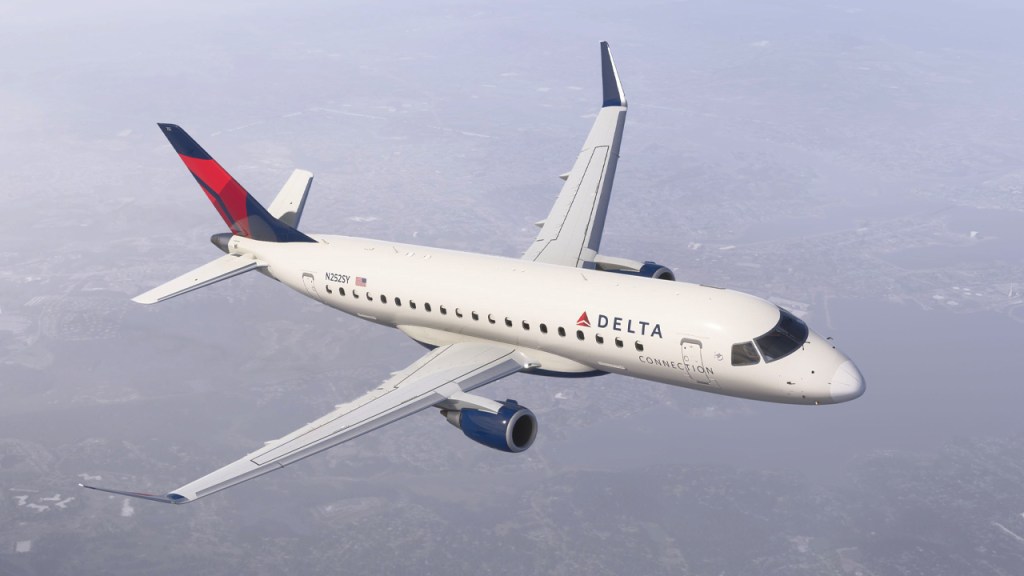
It wasn’t the start to this sim that anyone had hoped for but the good news is that things are slowly starting to improve for Microsoft Flight Simulator 2024. Here’s some of the latest that we know about the status of the new sim.

It’s working better, but its not there yet

Microsoft Flight Simulator 2024 continues to have problems as developers are continuing to work behind the scenes to improve the sim’s ability to handle all of the attention aimed at it. We don’t have any specific numbers on how many have been attempting to access the sim, however, we do know that around 200,000 users were part of the test earlier in the fall and that they had no issues handling that. Whatever the number is, we’re well beyond that.

Things are improving and we’ve got a couple of statements from Microsoft coming throughout the last 24 hours. This one came in around this time yesterday.

We have increased our server capacity and are seeing more players accessing the sim, however, we are still seeing access issues continue.

This is not the launch experience we want for our players and want to apologize to the community. We will continue to work around the clock with our partners and will provide updates until the issues are resolved.

Microsoft Flight Simulator on Facebook

Then we had another one come through just about 3-hours ago. This one was also signed as coming from Jorg Neumann, Head of Microsoft Flight Simulator which I suspect is meant to remind us that they are essentially all hands on deck trying to solve this.

Here’s what Jorg had to say:

Update on the technical issues affecting MSFS 2024: We continue to see access and bandwidth issues as more users come online globally. We’re actively working on increased capacity fixes. We want to express our gratitude to the community and apologize for this frustrating experience. We’ll share ongoing updates across our channels.

Jorg Neumann, Head of Microsoft Flight Simulator

Taking the community’s temperature

I’ve been keeping tabs on reactions across the community and while there are a lot of understandably frustrated feelings out there, there are quite a few folks who are getting in and starting to experience the sim. Even there, other bugs beyond the connection issues, are cropping up and there are some definite issues.

We’ve also seen some calling for refunds. Others are suggesting that we should be able to elect to install more of the sim’s content locally. There are mixed feelings on the new career mode and on the walk around features for the aircraft.

I myself have only had a few minutes of time with the sim so far and I too was struggling to have anything download and I had missing terminals at airports and slow loading of textures of different aircraft that I was trying to look at. The walk around feature seemed to be causing some issues for me as well with click spots not always functioning.

Suffice to say, this one may take some time to get sorted out. I had thoughts of being able to remove MSFS 2020 from my system and move over to the new sim but it seems like this will be a slower process than even I had assumed. Hopefully a lot of these early teething issues are sorted out soon and that we’ll all be able to start focusing on the details of the new sim. There is an awful lot to like about MSFS 2024 but we’ll have to get through these initial problems first.

More to report on soon!


11 responses to “Microsoft Flight Simulator 2024 issues persist as team works ‘around the clock’”

  1. Reinhard Eichler Avatar
    Reinhard Eichler

    For me starting this Day (roughly 8 hrs ago) it was finally working. Login was reasonable quick, freeflight worked as well and the careermode too. Even the preview during skinselection worked.

    Massive improvement compared to the last 2 days where nothing worked at all.

    Like

  2. Defintely waiting before buying. I’m in no rush to spend money to buy disappointment. Some of the videos I saw showed terrible slow-loading mountain textures during fast flights. Looked like a flightsim from 20 years ago.

    Looking forward to your next review.

    Like

    1. Yeah I wouldn’t rush out to grab this and probably wouldn’t have without the blog. I’ll probably hold an actual review for December maybe but I’ll have some first impressions up soon as I can actually make some.

      Like

  3. I’ve been able to play it for a bit with it working correctly, and I must say I’m thoroughly unimpressed. The physics were very lacking in 2020 and I don’t notice any real improvements in this new game. Still very simple and the planes start to do very weird things once you start to stress things a bit.

    It looks nice, but once again, it seems it’s nice as an interactive google earth type of game, but as a flight sim I find it very uncompelling. I still need to try the helicopters and some other planes, maybe something will change my mind, but that will need to wait for the server side stuff to get smoothed out.

    The move to make it a smaller initial download at the cost of needing everyone to stream just about everything seems to have been an ill-advised decision.

    Like

  4. Rendering locally and sending all the texture data is probably a lot less efficient than doing the rendering in the cloud and sending just the completed frames.

    Like

  5. I’ve had about half a dozen short flights so far.

    Occasionally I’ll get a slow-loading cockpit (e.g. the A310).

    Other than that, it’s working well for me and I’m thoroughly enjoying it!

    Liked by 1 person

  6. I think once we get past the initial bugs and confusion about controls binds, community folder, etc., this will be a great step forward, with an opportunity to build upon the new sim architecture.

    FYI, there was a lot of frustration regarding the setup of the community folder, where mods to the sim are stored. For a MS Store install (and maybe Steam), the community folder is set up in your C: drive (C:Usersyour user nameAppDataLocalPackagesMicrosoft.Limitless_8wekyb3d8bbweLocalCachePackages), even if you installed the sim to another drive. Here is what I found worked to relocate the community folder:

    1. In the sim main screen, click on the “FS” icon at the top right.
    The Markerplace/My Library screen opens.

    2. Click on “My Library” and then beside the “Search” box at the top right, click on the **small** gear icon.
    The “Settings” dialog opens.

    3. Click on “Browse” and navigate to the “Packages” folder in your sim install.
    For example, I navigated to G:MSFS 2024LimitlessContentPackages.

    4. Click on “Confirm”, close down the sim, and then restart it.
    The following folders are created in the “Packages” folder specified above:
    – Community
    – Official2020
    – Official2024
    I think the “Official” folders above are where official content is stored if you want to have it on your PC rather than
    streamed on demand. I don’t know how the change to local storage works yet.

    5. Copy or move the contents of your MSFS 2020 community folder over to the MS 2024 community folder.
    Note: I have seen planes from my community content in Free Flight selection screen, but they do not show in the “My
    Library” screen mentioned earlier and I have not checked that all my community content is available yet. Unfortunately,
    I have not been able to enter any of the community planes I have tried yet, but at least they are there. I’m still looking
    for a fix to that issue.

    Good luck and happy flying!

    Liked by 1 person

    1. Great tips! Thanks for sharing Jim!

      Like

    2. Sorry, for some reason, back slashes were dropped from some paths in my post above. Here are the paths with an asterisk instead of a slash:

      C:*Users*your user name*AppData*Local*Packages*Microsoft.Limitless_8wekyb3d8bbwe*LocalCache*Packages

      G:*MSFS 2024*Limitless*Content*Packages

      Like

  7. How do they intend to be able to pay for bandwidth without the game essentially becoming a subscription based service? Or is that the secret plan.

    Loading assets from the cloud every time a user wants to play the game is not financially feasible and as we see it’s not technically a good idea either.

    Like

    1. Switching to a different commerce model after launch would likely cause this to be a commercial failure. The backlash to a suddenly subscription service would be significant. If they wanted to go that road, they’d have done it from the start.

      Microsoft, like most organizations, wouldn’t have proceeded without some sense of long term costs. My understanding is that Marketplace is so lucrative that it’s helping to pay for the rest. The sales there are likely huge and I go back to 2022 when PMDG released their DC-6 and reported that they sold more in its first hours than for the entirety of its time on X-Plane. Or the 777 which they implied sold thousands in under an hour of release.

      A long winded way to say, no I don’t think there’s a secret plan. There’s stuff to worry about but not that specifically.

      Like

Leave a comment

Trending