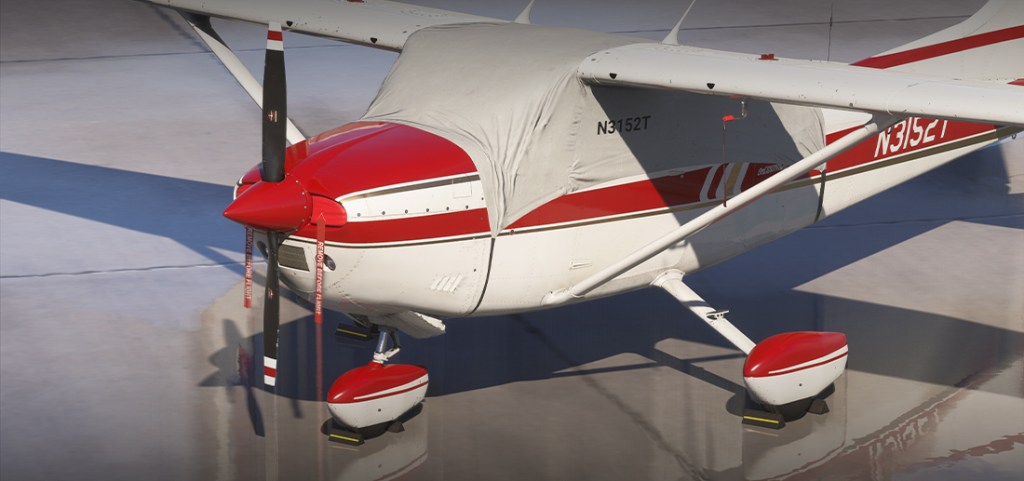
We’re not short on choice when it comes to Microsoft Flight Simulator and Cessna aircraft variants. Carenado have just released the C182Q for MSFS 2024. It marks the first independent release for a few years now with the developer having been a significant contributor to MSFS 2024’s aircraft set. Let’s have a look at this latest release.

Along comes the 182Q
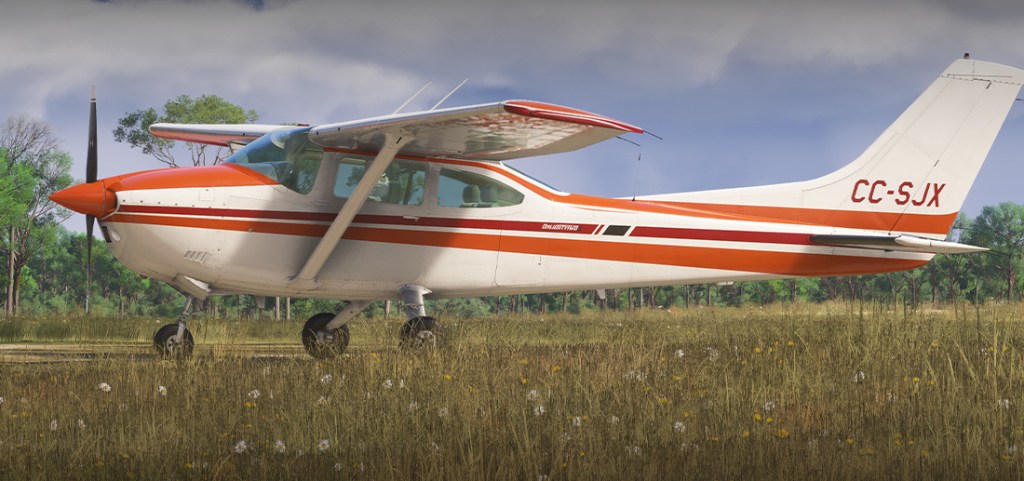
If you’re counting, the C182Q is Carenado’s third 182 variant released in the MSFS 2020 and 2024 era. Their first release soon after the launch of MSFS 2020 was the 182T with its modernized glass cockpit. In 2023 they released the 182RG with a more classic cockpit and the retractable gear variant of the type, now they are returning to the 182 with the Q variant.

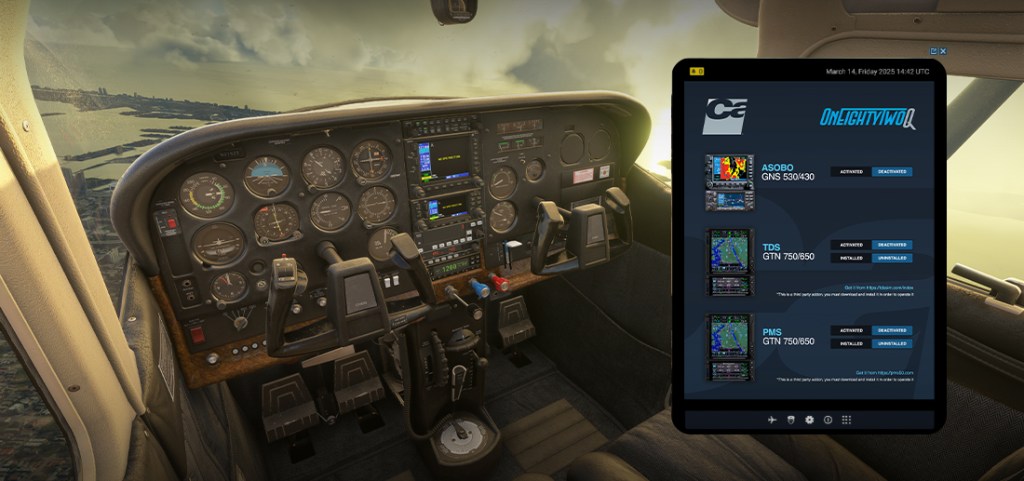
Carenado are a little short on the feature list but they do mention or show 2024 EFB support with the ability to swap between the Asobo GNS 530/430, TDS GTN 750 and the PMS GTN 750 (those are available separately). The release also comes with 8 liveries (plus one white overall for livery artists).

You can learn more about the product on the Carenado website. It’s available for purchase exclusively within the MSFS 2024 marketplace.


6 responses to “Carenado releases C182Q for MSFS”

  1. Saw a review from a reliable guy.

    As usual, they’ve got a few things that need fixing. Not terrible, but not a good look for a payware in a crowded market of “simple” GA planes.

    I’ll stick with the Comanche or at least the stuff that came with the sim.

    Liked by 1 person

    1. ShamrockOneFive Avatar
      ShamrockOneFive

      It’s not exactly the same plane but the C185F that they just delivered does lack a few features but its surprisingly good – and as part of the “make good” campaign its free. This one has to justify the payware price and I’m not sure if it does. It has more avionics setup… but I’m not sure if it does more than that.

      Liked by 1 person

  2. Ollifreund Popcorn Avatar
    Ollifreund Popcorn

    The instruments at night are easier to read than at daytime?!

    Like

    1. ShamrockOneFive Avatar
      ShamrockOneFive

      I’m not sure. You may need to elaborate a bit on this.

      Like

      1. Ollifreund Popcorn Avatar
        Ollifreund Popcorn

        Check the contrast of the pointers and background of the altimeter in both day/night screenshots. In real life the contrast should be higher in daylight than at night, but in the sim it’s opposite.

        Like

      2. ShamrockOneFive Avatar
        ShamrockOneFive

        I wouldn’t go by the screenshots necessarily. Lighting in video games is still a bit of a difficult thing.

        It’s something I’d have to see in action to really get a sense of it.

        Like

Leave a reply to Ollifreund Popcorn Cancel reply

Trending